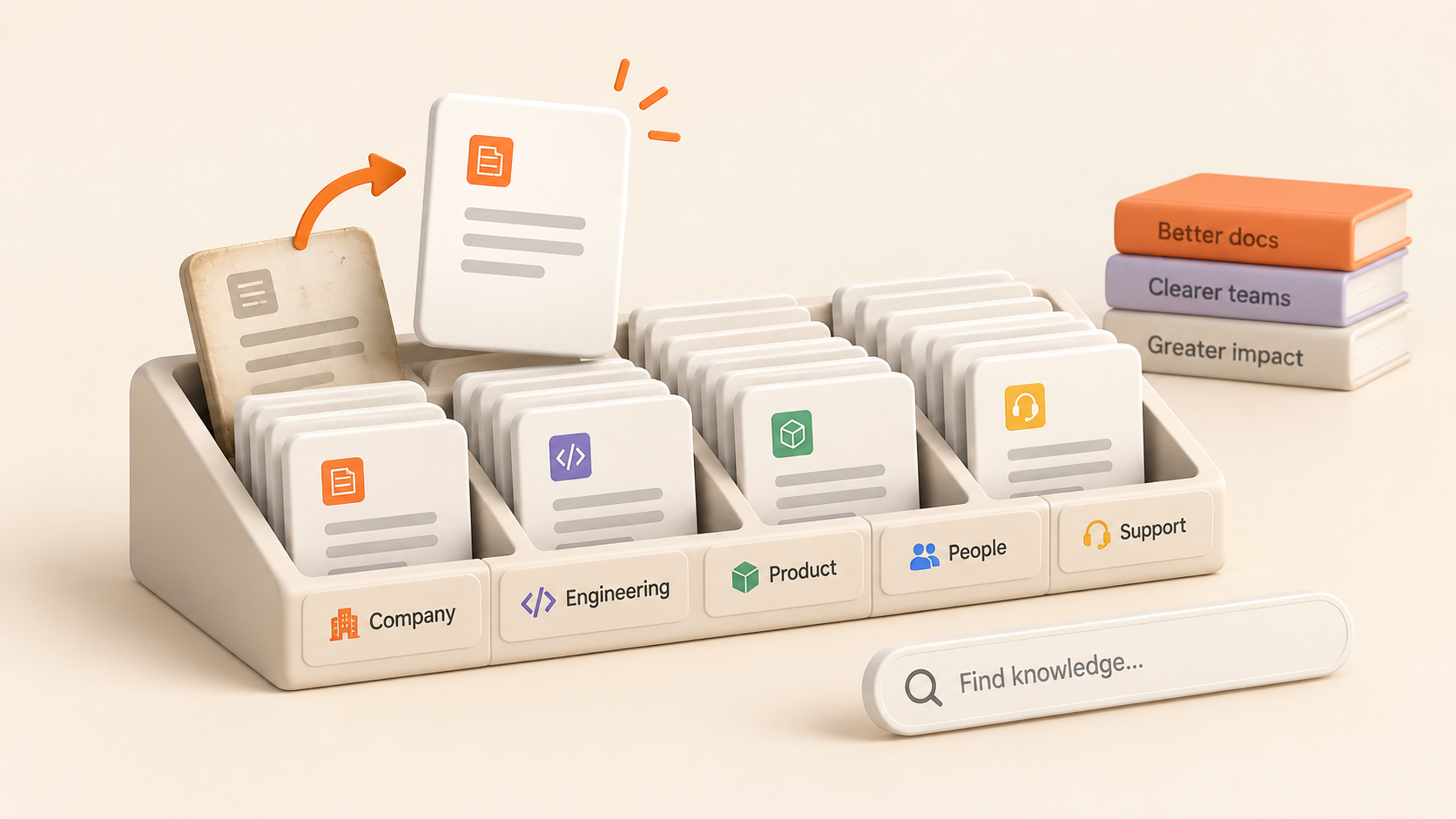
An internal wiki usually starts with good intentions.
There are a few onboarding pages, some team processes, maybe a list of useful links. People know where things are because there isn't much to remember.
Then the wiki grows.
New pages appear. Old instructions stick around. Similar topics get documented in different places. Someone finds a useful page through a direct link but couldn't tell you where it lives. Eventually, the problem isn't getting people to write things down. It's making sure what they've written stays useful.
A good internal wiki needs more than documentation. It needs a structure people can understand and habits that keep the information current.
Give the wiki a clear structure from the beginning
You don't need to predict every page your team will ever create. You do need a structure that answers a basic question: where should this information live?
A useful approach is to organize knowledge around areas that already make sense to the team.
For example:
Company handbook
Engineering
Product
Design
People and operations
Customer support
The exact categories matter less than their predictability. Someone documenting an engineering process shouldn't have to choose between five vaguely related places.
This is one reason to avoid building the wiki around individual documents. Documents change constantly. The larger areas they belong to tend to be more stable.
In Notework, Projects can provide those larger homes. A Project can group related work by team, product, client, or initiative. Pages inside them can hold handbooks, processes, meeting notes, specifications, decisions, and other written knowledge.
That distinction gives people a simple mental model: first find the right Project, then find the information inside it.
Make page names useful to someone who didn't write them
A title like "Process" might make perfect sense when you're creating the page. Six months later, surrounded by several other process pages, it's considerably less helpful.
Names should give enough context to identify a page without opening it.
Compare:
Process
New process
Updated onboarding
Notes
With:
Engineering code review process
Employee onboarding checklist
Product launch process
Customer research notes: Q3
You don't need an elaborate naming convention. In fact, a complicated one can create another system people have to remember.
Aim for titles that answer a simpler question: if someone found this in search, would they know what it contains?
Organize around how people look for information
The person creating documentation knows where they put it. Everyone else has to find it later.
That difference should shape how you organize a wiki.
Imagine someone joining the company and looking for the expense policy. They probably aren't thinking about who wrote the policy or when it was created. They're thinking about the subject: expenses.
The same applies to an engineer looking for deployment instructions or a product manager looking for an old decision.
Build around those retrieval paths.
Clear Projects and descriptive page titles help, but search matters too. In Notework, hybrid search works across Pages, Collection entries, comments, and attachment names, using meaning as well as keywords. That gives people another route to information when they don't remember the exact page title.
Structure and search work best together. Structure gives people a place to browse. Search gives them a way back when they don't know where to start.
Keep context with the documentation
Some wiki pages can stand on their own. Others make more sense alongside the work they describe.
A product specification, for example, is easier to understand when it lives near the rest of that product's work. The same is true for engineering decisions, project notes, or research related to an ongoing initiative.
Keeping related information together reduces the number of places someone needs to check before they understand what happened.
Notework's Projects are designed for this kind of grouping. A Project can contain written knowledge in Pages alongside structured work in Collections. Collection entries also open as full Pages, so tracked work can keep its written context attached.
The goal isn't to connect everything to everything else. It's to make related information feel like it has a natural home.
Make updating the wiki part of the work
Most internal wikis don't become outdated because someone decided documentation no longer mattered.
They become outdated one small change at a time.
A process changes, but its page doesn't. A new policy gets shared in a meeting, but the old one remains in the wiki. Someone discovers an outdated instruction, works around it, and moves on.
Wiki maintenance works better when updating documentation is treated as part of the work rather than a separate cleanup project.
If you notice an outdated instruction while following it, update it. If a decision changes an existing process, update the relevant page when the decision is made. If a discussion reveals missing context, add it while that context is still fresh.
Notework Pages support comments and version history, which can help teams discuss written knowledge and see how it has changed over time.
The important part, though, is the habit. A wiki stays useful when the people using the information also help maintain it.
Be selective about what deserves a permanent page
More documentation isn't automatically better documentation.
Some information deserves a durable place in the wiki: policies, recurring processes, onboarding guidance, technical documentation, important decisions, and knowledge people will need again.
Other information may only matter briefly.
Before creating a new wiki page, it can help to ask:
Will someone need to find this again?
If the answer is yes, document it somewhere predictable. If the information only matters to a short-lived conversation or task, giving it a permanent place in the wiki may add more noise than value.
This keeps the wiki focused on knowledge worth retrieving.
Treat maintenance as part of the structure
You can schedule occasional wiki cleanups, but they shouldn't be the only thing keeping documentation usable.
Good structure makes everyday maintenance easier.
When pages have clear homes, it's easier to notice duplicates. When titles are descriptive, outdated information is easier to recognize. When related knowledge stays together, people have a better chance of finding the page that needs updating instead of creating another one.
Permissions can help here too. Not every Project needs the same audience. In Notework, Projects can be open to the workspace, while the Team plan also supports private Projects and per-person access levels. That lets teams separate broadly useful knowledge from information intended for a smaller group.
The point isn't to add more rules. It's to make the existing rules understandable.
A useful wiki is one people can trust
The test of an internal wiki isn't how much information it contains.
It's whether someone can arrive with a question, find the relevant information, understand where it belongs, and trust that it's still useful.
That comes from a few fairly ordinary choices: clear homes for information, descriptive titles, sensible search, documentation kept close to related work, and a habit of updating pages when the underlying work changes.
Notework is built around that kind of structure. Pages give written knowledge a place to live. Projects give related knowledge and work a clear home. Collections handle structured work when documentation needs to sit alongside tasks, issues, roadmaps, or other tracked information.
The result isn't a wiki that never needs maintenance. No useful knowledge base works that way.
It's a wiki that's easier to maintain as the team and its knowledge grow.