How to Write a Meeting Recap That Turns Decisions Into Owned Work
Actualizado Sep 27, 202611 min de lectura
A useful meeting recap tells people what changed because the meeting happened. It captures the decisions, identifies follow-up work, and keeps unresolved questions visible without making anyone reread a transcript.
The recap also needs a clear relationship with the project that produced it. Keep the meeting’s context and decisions in a durable project page. Move confirmed actions into owned tasks or issues in that same project. That way, the recap explains the work while the task or issue holds its current status and deadline.
Otherwise, the same checklist ends up in the notes, the task tracker, and someone’s Slack follow-up. That is three sources of truth, which is another way of saying zero.
A meeting recap is a concise written account of a meeting’s context, decisions, assigned work, deadlines, and important open questions. It gives attendees and affected teammates a reliable summary of the outcome and points them back to the project work that follows.
Meeting minutes may follow a formal recordkeeping format. A transcript preserves what participants said, while a recording preserves the event itself. Both can help settle ambiguity, but neither sorts the final decision from the discussion that preceded it.
Your recap should do that sorting. It should also make the next destination clear: context stays with the recap, defined work moves into the project’s task or issue system.
Use a simple test: could someone who missed the meeting understand what was decided and what happens next in a couple of minutes? If so, the recap is probably doing its job.
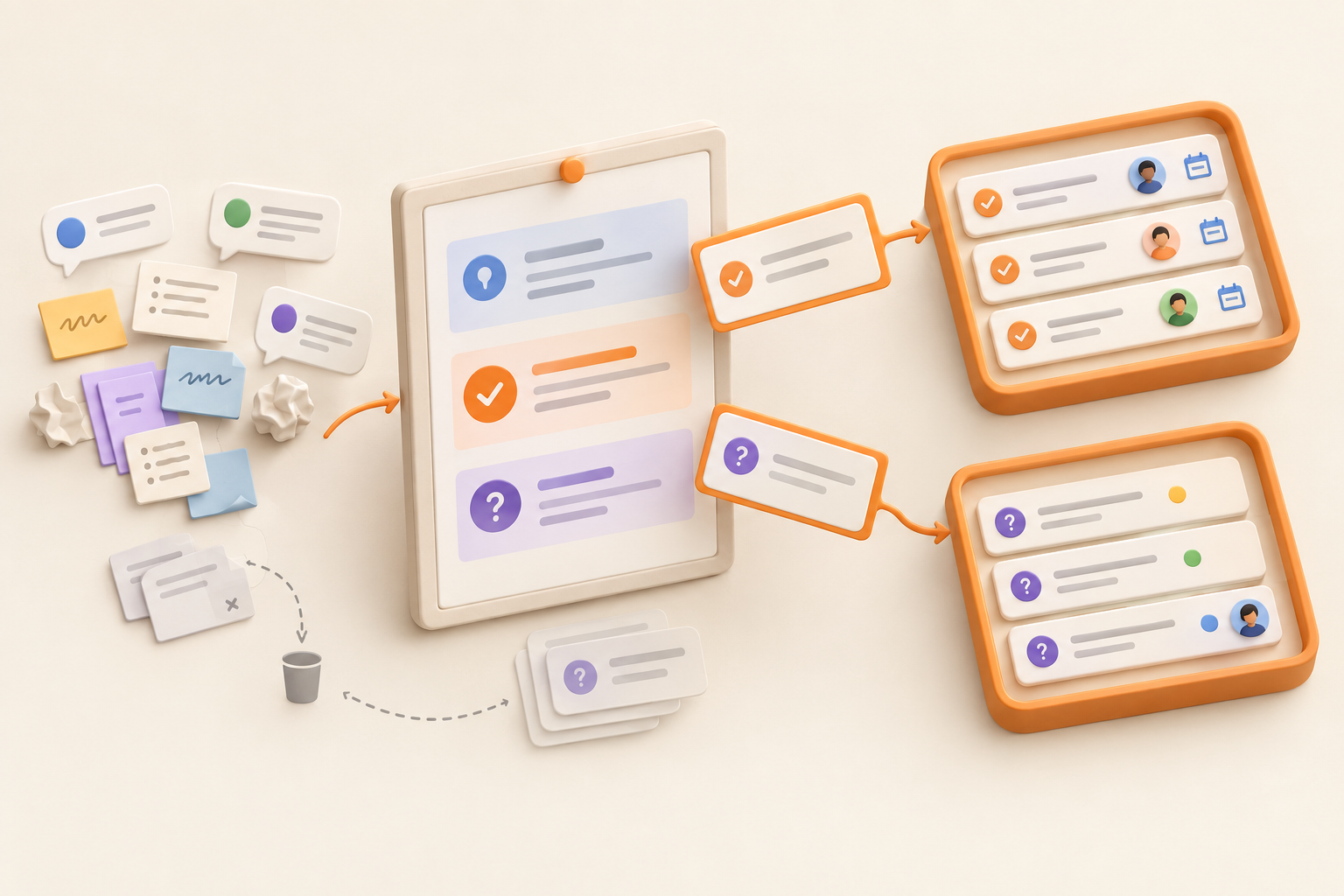
Sort your rough notes into four groups:
The first, second, and fourth groups usually belong in the recap page. Defined actions should also become active tasks or issues in the relevant project. The recap can link to them or list them briefly, but it should not become a second tracker.
Delete repeated arguments, abandoned suggestions, conversational detours, and chronological narration unless they explain an outcome that would otherwise be confusing.
Start with one or two sentences covering the meeting’s purpose and relevant background. Include the date, project, and audience where useful.
The launch team met on September 18 to confirm the release scope, review the remaining website work, and identify anything that could block the planned launch.
That is enough orientation. You don’t need to reconstruct who shared their screen, which agenda item ran long, or the precise moment everyone discovered the signup form was broken.
Write decisions as settled statements. Name what was approved, rejected, changed, or deferred.
Unclear:
The team discussed moving the launch.
Clear:
The team kept the September 30 launch date. The reporting dashboard will move to the next release.
“Discussed” only tells readers that people talked. It doesn’t tell them where the conversation landed.
Include rationale when someone may reasonably question the decision later. Keep it brief:
The reporting dashboard was removed from launch scope because it does not block the core signup workflow.
For decisions with lasting importance, create a durable decision record rather than expecting one recap to carry the full history. Documenting decisions so your team can find them later explains a lightweight approach.
“Follow up with design” is not an action item. “Maya will send the revised homepage mockup for review by Thursday” is.
Each confirmed action needs:
Several people can contribute, but one person should own the next move. Assigning work to “marketing,” “the product team,” or the mysterious collective known as “we” makes follow-through harder.
Once the action is clear, create it in the project’s active task system. Keep the recap as the explanation and link to the task as the place for current status and timing.
Some discussions end with a real question rather than a decision or defined action. Record it plainly:
Open question: Will the launch announcement cover existing customers, new prospects, or both?
If someone has agreed to resolve it, name that person and the expected checkpoint. If the team still needs to decide how to proceed, leave it as an open question. Creating a vague task merely to make every line appear complete adds activity without adding clarity.
Watch for suggestions disguised as decisions, too. “We could invite existing customers first” remains an option until the relevant decision-maker confirms it.
Use this repeatable process while the conversation is still fresh:
If you cannot identify an owner or decision from your notes, ask. Quietly guessing creates a polished recap with unreliable information, which is worse than an obviously incomplete draft.
The recap explains what happened and why. Tasks and issues track the active work produced by it. Keeping those roles clear lets the project page remain useful without forcing people to maintain the same information twice.
| Item | Where it belongs | Example |
|---|---|---|
| Context or rationale | Recap page | The launch remains focused on the core signup workflow. |
| Confirmed decision | Recap, and possibly a decision record | The reporting dashboard moved to the next release. |
| Defined next step | Task system | Maya will send the revised mockup by Thursday. |
| Problem needing investigation | Issue system | Signup confirmation emails are delayed in some tests. |
| Question awaiting discussion | Recap | Does the announcement include existing customers? |
For a broader explanation of the relationship between project context and active work, read why docs and tasks should live in the same workspace.
Keep the brief background needed to understand the outcome, confirmed decisions, useful rationale, open questions, and links to supporting material. These details preserve the meeting’s meaning even when they require no immediate action.
Use a task when the next action is known and someone owns it. Give the task enough detail to complete the work without returning to the transcript for instructions.
The recap might say:
Task: [Revise homepage launch mockup], owned by Maya, due September 21.
The task should hold its current status and working detail. If the deadline changes, update the task. Do not make someone correct three copies of the same date.
Use an issue for a defect, incident, blocker, or quality concern that needs to be understood or resolved.
“Send the launch brief to legal” is a task. “Confirmation emails are delayed for some signups” is an issue because the cause and fix may still be unknown.
Treat this as a practical recordkeeping rule, not a universal project-management doctrine. The useful part is giving an identified problem a durable owner and a place to track what happens next.
## [Meeting title] | [Date]

**Audience:** [Attendees and other affected teammates]
**Project:** [Project or initiative]

### Context
[One or two sentences explaining why the meeting happened.]

### Confirmed decisions
- [Write each decision as a settled statement.]
- [Include brief rationale only when it will matter later.]

### Resulting work
- [Task or issue title] | Owner: [Name] | Due/checkpoint: [Date] | Link: [Link]

Linked tasks and issues are the active sources of truth for status and timing.

### Open questions
- [Question] | Resolver: [Name, if known] | Checkpoint: [Date, if useful]

### Relevant links
- [Brief, plan, decision record, task, issue, or supporting material]
Attendee lists can help, but avoid turning them into ceremonial paperwork. The more important audience includes anyone who must act on the outcome or whose work changed because of the decisions.
Suppose your rough notes look like this:
Launch probably still Sept 30. Dashboard isn’t ready. Maya to follow up with design. Signup confirmation emails delayed in tests. Maybe announcement is prospects only? Need to figure out.
A useful project-linked recap would look more like this:
Context: The launch team met to confirm September 30 scope and review remaining blockers.
Decisions: The launch will remain scheduled for September 30. The reporting dashboard has moved to the next release because it does not block the core signup workflow.
Resulting work: [Revise homepage launch mockup], owned by Maya, due September 21. [Investigate delayed signup confirmation emails], owned by Theo, with an initial update due September 20.
Open question: Will the announcement target new prospects only, or include existing customers? Priya will confirm the audience before launch copy is finalized.
The mockup becomes a task because the next step is defined. The delayed email becomes an issue because it describes a problem requiring investigation. The audience question stays visible without being presented as a decision that never happened.
Publish or send the recap soon after the meeting. Participants should still remember enough to spot a misstated decision, missing owner, impossible deadline, or omitted outcome.
Share it with attendees, anyone assigned resulting work, people who missed the meeting but need its outcome, and teammates directly affected by the decisions.
Distribution can happen through chat, email, or your usual project channel. Send a link to the durable recap instead of pasting separate copies everywhere. When someone corrects an outcome, update that durable version.
Keep the recap beside the project brief, plans, decision records, tasks, and issues it relates to. Chat and email are useful for alerting people, but poor as the only archive. Six months later, nobody wants to search for “that message Alex sent after the Tuesday call.”
Use a clear title containing the meeting subject and date:
Website Launch Review | September 18, 2026
Link to resulting tasks, issues, and important supporting pages. If a project has frequent meetings, keep recaps in one predictable place rather than inventing a new filing system every Tuesday.
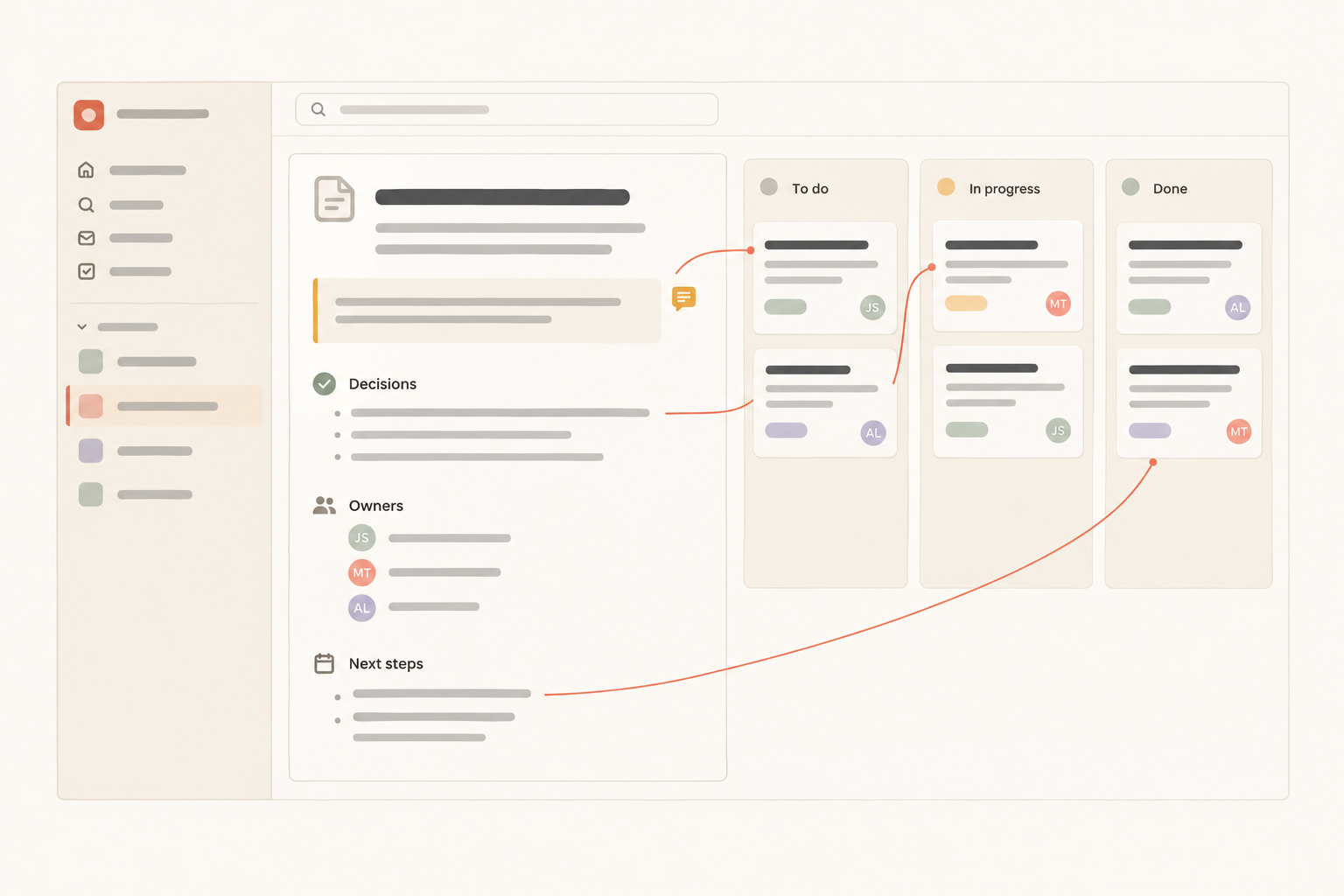
This method works in any system that keeps a durable project record beside active work. Notework makes that relationship explicit through its project structure.
A workspace contains projects, and all pages and collections belong to a project. Keep the recap as a Page in the relevant Project alongside the plans and documentation that explain the meeting. Use a Collection when the follow-up needs a repeatable structure made of many entry pages.
Resulting work can go into the project’s Task Tracker or Issue Tracker Collection. Tasks and issues are full Entry Pages with typed properties such as Person, Date, and Status. Saved Views can show the same entries as a Table, Board, List, Calendar, Timeline, or Gallery. The view changes how the collection is read, not where the work lives.
If part of the recap needs correction or clarification, teammates can comment on the specific block containing that decision or assignment. Later, Notework search can find Pages and Collection entries through exact matching or semantic retrieval, while limiting results to content the reader can access.
The useful division stays the same: the recap Page preserves the meeting’s context, while the linked task or issue Entry Page holds the active work. Try the workflow in a system your team can maintain. If that system is Notework, start with the project page and let the work produced by the meeting live beside it.
See also what to include in a project overview.
See also how to organize project documentation.