
How to Build an Internal Vendor Register for Better Renewal Reviews
Actualizado Nov 10, 202610 min de lectura
A vendor register can mean two different things. Public buyers may use the term for an application process in which businesses register as potential suppliers. This guide covers something narrower: an internal record of vendors your team already uses.
The goal is simple: make renewal reviews less dependent on invoices, old email threads, and one colleague's unusually good memory. Each vendor should have a clear owner, purpose, dependency, review date, and explanation of why the team chose it.
An internal vendor register is a shared list of active vendors, usually focused on recurring software and service providers. It should help your team answer questions such as:
This kind of register does not cover applying to sell to a government agency, joining a procurement portal, setting up supplier payments, responding to tenders, or qualifying vendors. It also does not replace accounting records, legal review, or contract management.
Treat it as operational memory. Give each vendor one structured entry with enough context for someone to prepare for the next review.
Imagine that a software renewal is approaching. Finance can find the invoice, and someone has added the date to a spreadsheet. Neither record says who actively uses the software, why the company selected it, or whether an important workflow would stop without it.
The review becomes a scavenger hunt:
Does anyone know who owns this? Is the marketing team still using it? Was there a reason we picked this vendor instead of the other one?
A date tells you when to look. It does not tell you what to decide.
Connect the date to an owner, current purpose, dependencies, and a short buying rationale. That gives the team something to review instead of a deadline to rediscover from scratch.
Begin with vendors that are active, recurring, or operationally important. Common candidates include shared software, specialist service providers, infrastructure vendors, and tools that support a recurring business process.
Skip the heroic effort to catalog every historical purchase. The caterer from a workshop two years ago probably does not need a permanent entry unless your team still works with them. A register full of irrelevant suppliers will be meticulously ignored.
A lightweight register earns its keep when vendor knowledge is spread across several people or systems, renewal decisions recur, or losing access would disrupt work. A tiny team with a handful of obvious vendors may need only a short shared list.
This is a good example of a minimum viable process: add enough structure to make the next decision easier, then stop before maintaining the process becomes its own hobby.
There is no universal schema every small team needs. Keep a field when it helps with ownership, continuity, or an upcoming decision.
| Field | What it helps the team decide |
|---|---|
| Vendor name | Which company or service the entry covers |
| Status | Whether the relationship is active, under review, being retired, or inactive |
| Internal owner | Who can explain the relationship and lead the next review |
| Service or purpose | What the team uses the vendor for |
| Renewal or review date | When the team should reconsider the relationship |
| Key dependency | Which workflow, project, system, or team relies on the vendor |
| Contract, billing, or account link | Where authorized teammates can find source material |
| Category, if useful | A short grouping such as software, professional services, or infrastructure |
Contact details can be useful when people need them during reviews or handoffs. If nobody uses a field, remove it. Empty columns are often evidence that the schema came from somebody else's process.
Be precise about dates. If you know the contractual renewal date, label it clearly. If the date marks an internal review, call it a review date. Mixing the two creates false confidence.
A lightweight register does not need to absorb every field found in procurement, legal, accounting, and compliance systems.
Avoid adding detailed spend classifications, tender history, supplier qualification records, invoice-processing fields, or extensive contract metadata merely because they sound official. Include them when someone uses them for a defined task and the register is the right place to keep them.
Sensitive financial and legal information should follow your team's access and record-keeping practices. A link to the controlled source may be more appropriate than copying it into a broadly shared register.
Structured fields work well for facts you need to sort, filter, or review repeatedly. The supporting note should preserve the story around those facts.
Include details such as:
Keep the note short enough to read before a review. A few current paragraphs beat an archaeological layer of correspondence. Good context also helps reduce key-person risk when the original buyer is no longer available.
A useful register needs two ways to look at the same information. An ownership table helps an operations lead find missing owners and see which relationships belong to each person. A calendar view shows which reviews are approaching and whether several decisions will land close together.
Use one shared set of entries for both views. Maintaining an ownership spreadsheet and a separate renewal calendar invites conflicting updates. One person changes the owner, another changes the date, and both lists remain confidently wrong in different ways.
Review upcoming dates early enough to gather information and make a deliberate choice. The right lead time depends on the relationship, so use a cadence that matches the decision rather than adopting a universal schedule.
A broader operational calendar can show vendor reviews alongside other recurring deadlines. The vendor register remains the source for the relationship details; the operational calendar gives the date wider context.
The owner can prepare with a short set of prompts:
The outcome might be to keep, change, consolidate, or retire the vendor. Record the decision and useful reasoning in the context note. For a deeper method of preserving decisions, see how to document decisions so your team can find them later.
Consider a fictional software vendor called RelayPost.
| Field | Example value |
|---|---|
| Vendor | RelayPost |
| Status | Active |
| Owner | Priya, Marketing Operations |
| Purpose | Coordinate customer newsletter production |
| Review date | October 15 |
| Key dependency | Weekly newsletter drafting and approval workflow |
| Category | Marketing software |
| Account link | Link to the team's controlled account record |
Its context note might say:
RelayPost was selected because the marketing team needed one place to prepare newsletters and coordinate review. The weekly newsletter process currently depends on it. Product announcements are drafted elsewhere and copied in after approval.
Before the next review, confirm whether the customer education team has started using it and whether the separate approval step is still necessary. If RelayPost is retired, the owner needs a replacement process for newsletter review and publishing handoff.
The review now has somewhere to begin. Priya owns the conversation, the affected workflow is visible, and the remaining questions are written down.
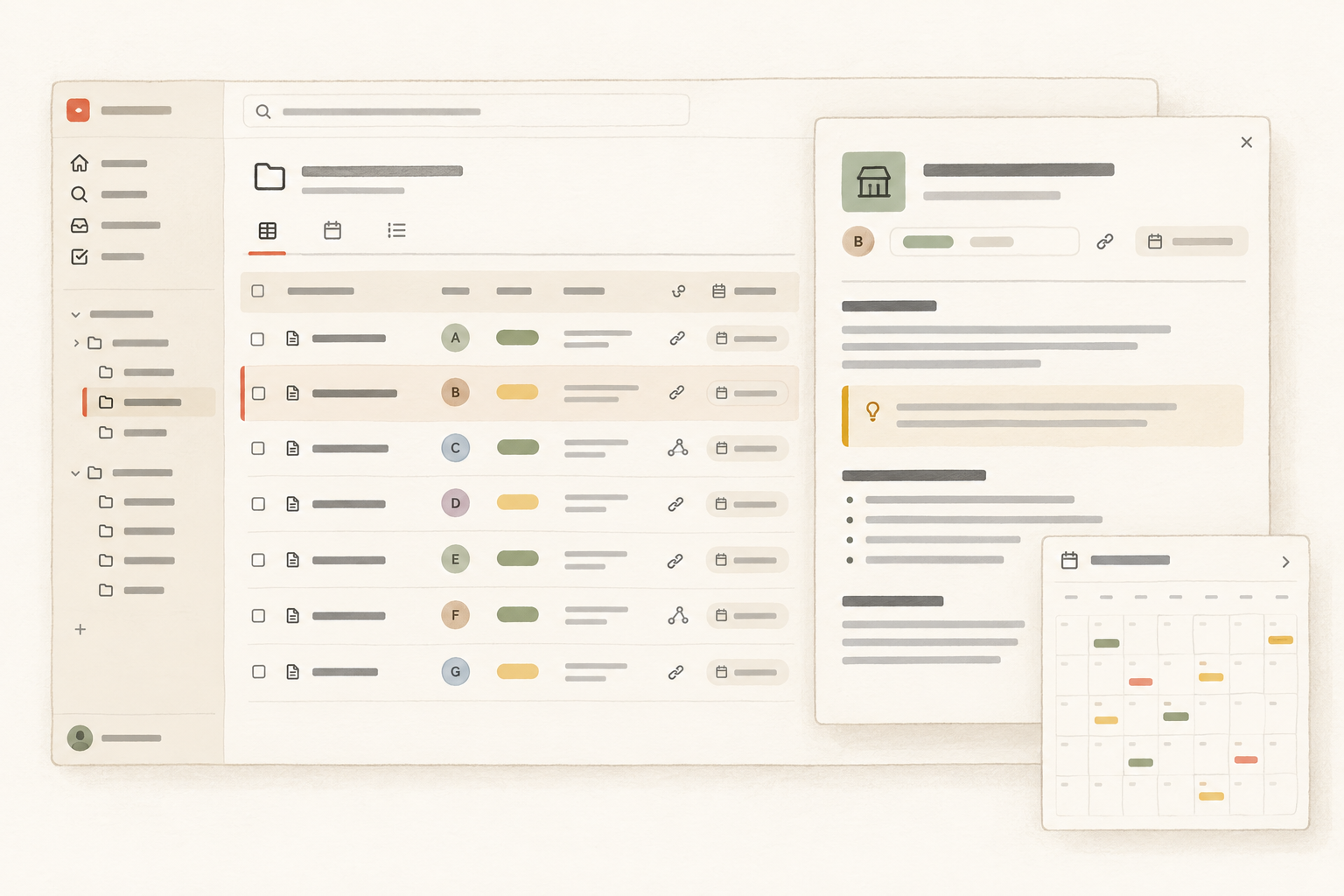
A spreadsheet can be enough for a small register. Once each vendor needs a context note, linked materials, and a repeatable review date, a structured collection of entry pages is easier to work with than a wide table with long text crammed into cells.
Notework maps this method to its Workspace to Project to Page and Collection structure. A Collection inside the relevant Project can hold one entry page per vendor. Repeatable fields cover the sortable facts, while each entry page holds the buying rationale, dependency notes, review questions, and renewal decision.
For this register, the useful properties are modest:
Notework Collections are structured sets of entry pages with typed properties. Saved Table and Calendar views look at the same entries, so the team can review ownership and upcoming dates without maintaining duplicate lists. Board, List, Timeline, and Gallery views are also available, though a vendor register may have no reason to use most of them.
If the team already has a vendor list, it can import a CSV into a Collection and then add context to the resulting entry pages. Notework provides the structure for this workflow, but the method also works in a suitable spreadsheet or another structured workspace. It does not provide procurement, accounting, contract automation, approval workflows, or renewal alerts.
A startup operating model can use the same pattern for other recurring operational decisions: give the relationship an owner, keep the context close to the work, and make the next review easy to find.
Use a few maintenance rules:
The tool matters less than keeping ownership, timing, purpose, dependencies, and buying rationale together. When the next review arrives, the team should be able to discuss the vendor rather than reconstruct its history from receipts and Slack search.
If you want the structured entry-page approach, try Notework or import an existing CSV into a Collection. A spreadsheet is perfectly reasonable when it is all your team needs.
See also minimum viable process.
See also reduce key-person risk.
See also project log.