Project Health Assessment: How to Review Delivery Evidence
Atualizado em Nov 12, 202611 min de leitura
A project can be marked green while final approval sits unowned, scope has quietly changed, and nobody can explain how the next milestone will happen. The label looks reassuring. The work says otherwise.
A useful project health assessment tests the status claim against delivery evidence. It reviews what has been delivered, what could disrupt the next milestone, which decisions are waiting, and whether the team can explain its confidence. Keep the assessment and the evidence behind it in the same project so the judgment can be checked and maintained after the meeting ends.
Metrics can show movement, delay, or cost pressure. A dashboard or single health score cannot establish delivery confidence by itself. Project health is a judgment, and the team should be able to show how it reached that judgment.
Anchor the assessment in the nearest meaningful outcome. “Is the project healthy?” invites broad opinions. A specific milestone gives the team something to inspect.
Record:
Completion needs to be visible. “Launch preparation finished” is vague. “The release is available to customers, the approved announcement is published, and support has the final briefing” gives the team something it can assess.
For early-stage work, use a learning or decision milestone. A discovery project may be trying to complete customer interviews and decide whether to proceed. Assess whether the team can reach that decision with the expected evidence rather than inventing certainty about a later launch.
In a Notework project, the milestone and completion condition can live on the project health page. Supporting decision and assumption pages can stay linked to it, while follow-up work sits in task and issue collections in the same project. That structure makes the evidence trail part of the review instead of a set of links someone has to reconstruct afterward.
Project health assessment guidance commonly uses a checklist of questions across several areas. The Project Management Institute has also described project health analysis as a non-quantitative way to examine health and potential risks. That is a useful frame for a small team. You need a consistent review, not a formula that turns uncertain inputs into a suspiciously precise score.
Use these questions in order:
| Review question | Evidence to inspect | Follow-up |
|---|---|---|
| What was delivered? | Accepted work, completed research, approved decisions | Clarify incomplete or unaccepted work |
| What threatens the milestone? | Open issues, active risks, blockers | Name an owner and response |
| What changed? | Assumptions, availability, dependencies | Revise the plan or confidence |
| What is waiting? | Pending decisions and approvals | Set an owner and deadline |
| Is the milestone credible? | The evidence above | Write the status rationale |
A practical way to run this in one project workspace is to keep the review narrative on a page, use supporting pages for decisions and assumptions, and use collections for repeatable follow-up. In Notework, a workspace contains projects, and every page and collection belongs to a project. A Task Tracker collection can hold actions created by the assessment. An Issue Tracker collection can hold blockers and active problems. The page explains the judgment; the entries preserve the work that may change it.
Separate outcomes from activity. Meetings held, drafts started, and tickets moved show that work happened, but they do not necessarily prove progress toward the milestone.
Look for work that has shipped or been accepted, an approved decision, research that answers its original question, a completed dependency, or a deliverable that meets its agreed completion condition.
“Nearly done” deserves attention. If nobody agreed on what done means, the final stretch can hide approval, revisions, integration work, or other surprises. A definition of done or acceptance condition can make this check more concrete.
Issue count is a weak health signal. Twelve minor issues may be harmless, while one missing approval can stop the milestone.
Review unresolved items by impact and proximity to delivery. Look for blockers without owners, risks that have become active problems, and issues whose response dates have passed. An issue documentation guide can help preserve impact, ownership, and context instead of leaving the item as a title with a status.
An issue list supports the judgment but does not choose the color. A project can remain green with a significant issue if the response is credible and there is enough time for it to work. It may be amber with one issue if that issue threatens the milestone and has no clear path forward.
Use a current project risk register to track uncertain events before they become active problems.
Plans rely on assumptions about scope, availability, vendors, technical feasibility, and stakeholder approval. Ask which assumptions are no longer true and which have become uncertain.
Suppose the launch plan assumed legal review would happen during the final week. Legal now needs an earlier submission and additional material. The team must change the plan, lower its confidence, or both. Leaving the old assumption in a planning page does not preserve a green status.
A lightweight project assumption log can keep those changes visible. When a changed assumption affects scope, timing, or approach, connect the review to project change control rather than hiding the change in a status update.
Pending decisions create quiet delays. Work may continue around them until the missing choice blocks several tasks at once.
For each waiting decision, record:
“Waiting for leadership” is a location, not a plan. Put the decision and its deadline on the project page or a linked decision page. If a review meeting creates new owners or deadlines, capture them in a meeting recap while the details are still fresh.
Turn the evidence into a short statement:
We expect to reach the milestone within the current window because the core work has been accepted and the remaining dependency is scheduled. Delivery could slip if approval is not received by Thursday. Priya owns the approval request and will escalate it on Wednesday if needed.
When evidence is limited, say so. An early-stage project might have moderate confidence in completing the next experiment but little confidence in the eventual launch date. Honest uncertainty is more useful than a polished guess.
Assign the status after reviewing the evidence, then write the rationale beside it.
Amber fits when the path exists but depends on conditions the team cannot yet defend. Green does not mean there are no risks. It means known risks and issues have credible responses that preserve confidence in the milestone.
Use agreed project status definitions to keep labels consistent. Save the rationale, its supporting evidence, required actions, owners, and the condition that would justify changing the status. A short async project update can carry that judgment to people who do not attend the review.
A small team is preparing a product launch. Its tracker shows most tasks complete, so the project update says green.
The health review checks the project page, the approval decision, the changed legal-review assumption, and the open follow-up items. It finds:
The completed-task count does not resolve those conditions. A defensible update would read:
Status: Amber. The launch materials are drafted, but the delivery window depends on legal review and final approval. The legal-review assumption changed, and final approval does not yet have an owner. Elena will confirm the approver today and submit the materials for review. The team will reassess the launch window after legal confirms its turnaround time.
The project health page should link to the approval decision, the changed assumption, and the follow-up task. The blocker should remain visible in the Issue Tracker until its response is complete. Returning to green requires a named approver, a confirmed review path, and a delivery window that still works.
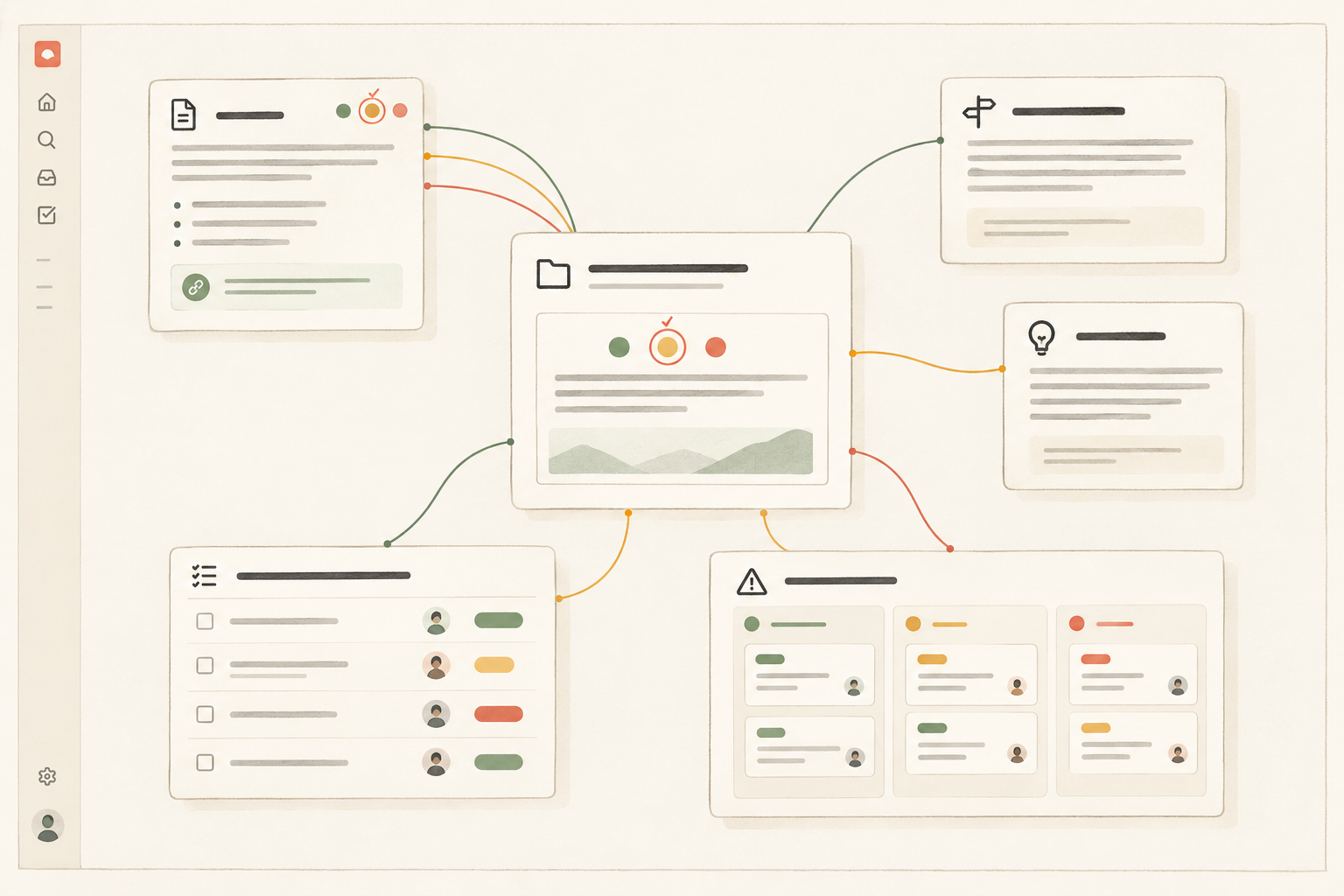
A health review becomes difficult to trust when the status is in a slide, the decision is in chat, and the blocking issue lives somewhere else. The team then has to reconstruct the evidence every week, and hopeful reporting wins through convenience.
Notework is a collaborative workspace for small teams that keeps documentation and day-to-day work together. Its structure maps cleanly to this assessment:
Use a page for the assessment because the team needs to explain its judgment. Use a collection when follow-up needs repeatable structure made of full entry pages with typed properties. Saved Table, Board, List, Calendar, Timeline, and Gallery views show the same collection entries through different lenses. For example, a filtered List view can show unresolved milestone issues during the review, while a Board view helps manage those issues afterward.
Pages support nesting, mentions, backlinks, and comments anchored to specific blocks. A teammate can comment on the confidence statement or one evidence item instead of opening an imprecise discussion about the whole page. Search combines exact matching with semantic retrieval and only returns content the reader can access, which helps when someone remembers the issue but not its title.
Notework supports the evidence trail. It does not calculate project health or produce an automated health score. The judgment still belongs to the team.
Run the assessment before the status update, milestone checkpoint, or decision meeting where the label will be used. A stable project may need less frequent reviews. Review more often when scope is changing, dependencies remain unresolved, or the milestone is close.
Keep the recurring prompt list on the health page:
A project log can preserve what changed between reviews. Keep the assessment compact. If it becomes a formal investigation every week, people will complete it mechanically. Spend time where evidence is weak, assumptions have moved, or the team cannot explain the delivery path.
A green, amber, or red label earns trust when a teammate can inspect the evidence, understand the reasoning, and see what happens next. Start from the next milestone, connect the evidence to the project, and give every follow-up an owner.
If you want to keep the health page, decisions, assumptions, tasks, and issues together, try Notework or start a 14-day free workspace trial with Team-level access.
See also project status definitions.
See also issue documentation.
See also async project update.
See also project log.
See also meeting recap.
See also project change control.