Project Status Definitions: Give Blocked, At Risk, and Off Track Real Meanings
Actualizado Oct 15, 202611 min de lectura
A project status is a point-in-time snapshot of where a project stands. It can describe progress, health, or both. That flexibility becomes a problem when one lead uses At Risk for “keep an eye on this” and another uses it for “the deadline is about to fall through the floor.”
A shared vocabulary fixes the ambiguity. Each label needs an observable condition, someone responsible for changing it, and a required response. Otherwise, project tracking becomes decorative weather reporting: lots of colored symbols, very little idea what anyone should do.
A useful health label answers two questions:
If a project changes from On Track to Blocked, the team should be able to identify the blocked step, the dependency or decision preventing progress, and the person responsible for moving it forward.
A label alone is never a complete update. Status reporting should give stakeholders visibility into accomplishments and escalate risks and issues to the people who can respond. “Yellow” does neither unless everyone knows what yellow means.
Use text labels as the source of meaning. Colors can help people scan a tracker, but they should remain secondary. A green dot is less useful in an exported update, a conversation, or any context where someone cannot reliably distinguish the color.
A practical way to keep the meaning attached to the work is to store the definitions and the project entries in the same project space. For example, a team might keep a short status-definitions page beside a structured collection of initiatives. The page explains the rules. Each entry page records the evidence and response for one initiative. The tracker then shows the signal without stripping away the context behind it.
That arrangement is especially useful in Notework. A workspace contains projects, and all pages and collections belong to a project. A project home can hold the shared rules, the collection, and links to the supporting plans or decisions. The status vocabulary is part of the working system rather than a forgotten note in a separate handbook.
Teams often use “project status” for two different ideas:
Keep these in separate fields. A launch can be In Progress and At Risk. A migration can be In Progress and Blocked. Combining both concepts forces people to choose between two different truths.
A practical lifecycle set might be:
This is a useful example, not an industry law. Adjust the words if needed, but keep the field focused on progress through the work.
On Hold deserves particular care. It represents an intentional pause, usually with an agreed reason and restart condition. Blocked means the team wants to proceed but cannot complete a necessary next step.
For health, start with:
These four labels cover the conditions many small cross-functional teams need to distinguish. The useful part is the agreement about thresholds and responses, not the labels themselves.
In a Notework collection, lifecycle state and health can be separate Status properties on the same entry page. That lets a team filter for In Progress work, then focus on entries marked At Risk or Blocked without turning one field into a small argument.
Use this table as a starting agreement rather than a universal standard.
| Health | Observable condition | Immediate response |
|---|---|---|
| On Track | The current plan remains credible, with no exceptional intervention or unresolved decision needed now. | Confirm the next milestone and target date. |
| At Risk | A known condition may affect a commitment unless a named corrective action succeeds. | Record the threatened commitment, corrective action, owner, and escalation threshold. |
| Blocked | A dependency, decision, access problem, or external input prevents meaningful progress on a necessary next step. | Name the blocked step, dependency owner, required input, and escalation path. |
| Off Track | A key commitment has been missed or the current plan is no longer credible. | Decide whether to reset the plan, reduce scope, intervene, or stop the work. |
On Track means the current plan is credible. Work is progressing as expected, and the team does not currently need an exceptional decision or intervention.
Some teams judge this against scope, schedule, budget, and available resources. That is one reasonable health model, but your criteria should reflect the commitments your team actually manages.
On Track does not promise a risk-free project. The health owner should be able to confirm the next milestone, its owner, and the target date. If those answers are vague, the green label may be running on optimism.
At Risk means a known condition could affect a commitment unless a corrective action works.
Progress can still continue. Perhaps a legal review is taking longer than expected, but the reviewer is assigned and the team can keep preparing the launch. Or a supplier may miss a delivery date, but an alternative is available.
Record the commitment under threat, the evidence creating concern, the corrective action and its owner, and the date or condition that triggers escalation.
“At Risk because design is delayed” is too vague. Try: “Final creative may miss Friday’s handoff because two approvals remain. Priya owns approval follow-up by Wednesday; escalate if either reviewer cannot respond.”
Blocked means meaningful progress on a necessary next step has stopped because the project needs a specific dependency, decision, permission, or external input.
An inconvenience is not automatically a blocker. If one person lacks access but another can complete the work, the project may still be On Track or At Risk. If nobody can publish the release because production access is unavailable, the work is blocked.
Name the step that cannot proceed, what is preventing it, who owns the dependency or decision, and when the team will escalate. The person closest to the blocker should raise it immediately. The project lead usually owns the health label and the response.
If the team has no agreed route for getting a decision, write an escalation path before everything becomes urgent. A blocked entry can also link to the relevant issue documentation when the dependency is a problem that needs investigation or resolution.
Off Track means a key commitment has already been missed or the existing plan is no longer credible.
This label requires a decision. The team might reset the target date, reduce scope, add an agreed intervention, or stop the project. Leaving the label red for six weeks while everyone follows the old plan is just a slow way to avoid replanning.
Record the missed or no-longer-credible commitment, the evidence, the decision owner, and the date by which the plan will be reset. Once the team accepts that the current plan no longer works, use a deliberate project restart plan rather than repeatedly editing the forecast and hoping nobody notices.
A short definition becomes more useful when it includes five parts:
Assign one person, usually the project lead, responsibility for maintaining health. Other teammates should raise new evidence, but shared responsibility for changing the label often becomes no responsibility at all.
Require a one- or two-sentence rationale for every At Risk, Blocked, or Off Track project. Include the next action and its owner. A broader async project update can cover accomplishments and upcoming work, while the health rationale explains why attention is needed now.
Keep the rationale with the project entry. Colleagues should not have to reconstruct a dependency from fourteen Slack replies and a thumbs-up reaction from last Tuesday. If a status change leads to a decision, capture the decision in the project context or a meeting recap rather than leaving it in the meeting transcript.
Suppose a team plans to launch on September 18. Legal approval is due September 12.
On September 9, the reviewer says approval may take two extra days. The team can continue preparing assets, and a named reviewer has committed to respond by September 14. The lead marks the launch At Risk, records the threatened release date, and names a fallback plan.
The next morning, legal discovers that the required product copy is missing. Review cannot begin without it. The launch becomes Blocked. The entry page identifies the blocked step, the copy owner, the required handoff, and the escalation path if the copy is not ready by noon.
If September 18 passes without approval, or the team determines beforehand that the release plan cannot succeed, the launch becomes Off Track. The response is a decision about the new date, reduced scope, or another explicit intervention.
The same dependency can produce different health labels over time. The distinction comes from its effect on meaningful progress and the credibility of the current commitment. A structured entry makes that change visible because the team can update the health property while preserving the rationale and decision history on the same page.
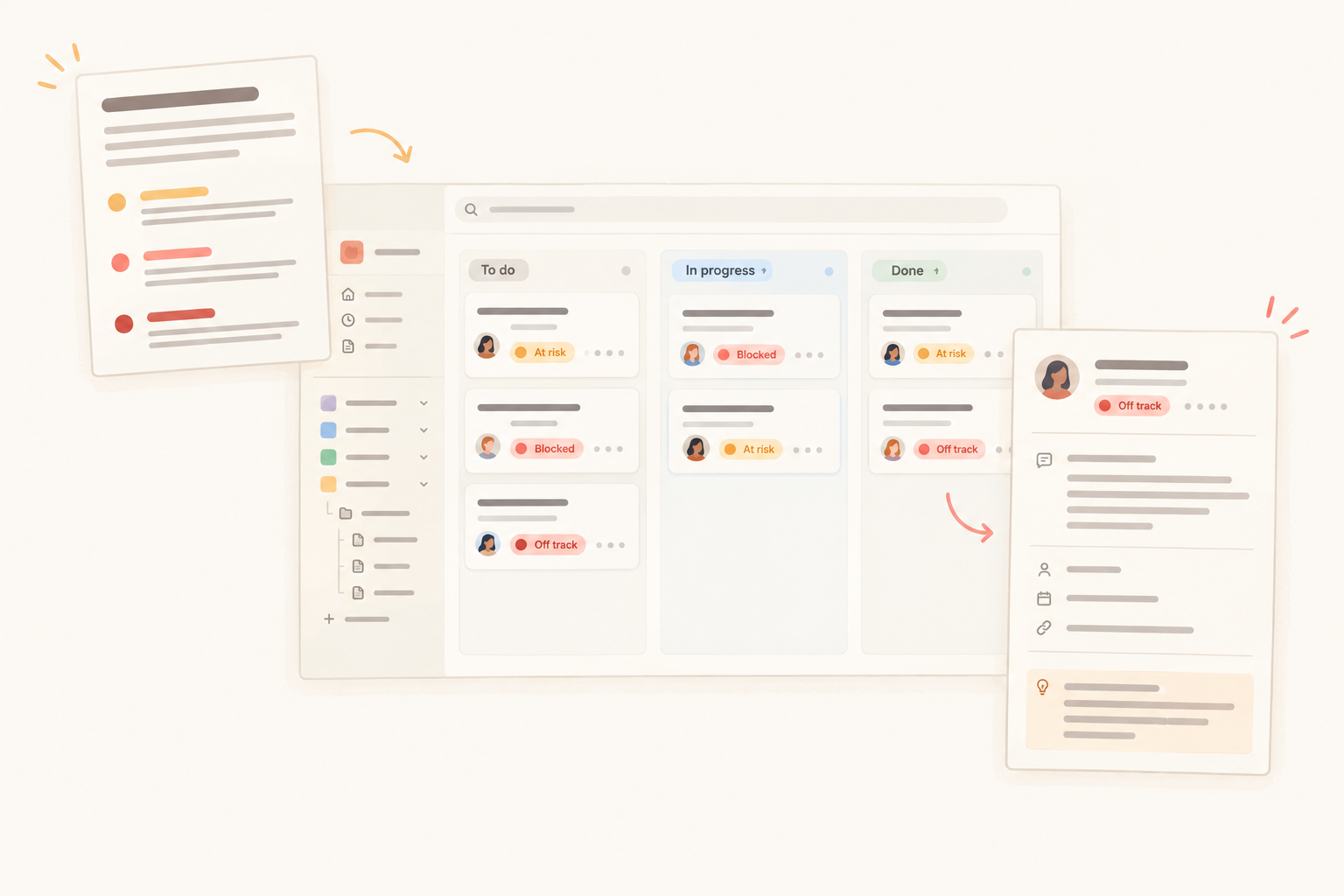
The vocabulary works better when people can see it where they update projects. A practical Notework setup could look like this:
A Notework Collection is a structured set of full entry pages. Properties provide the scannable signal, while each entry page holds the rationale, dependency, decision needed, corrective action, and next review date. Pages can hold plans, notes, and briefs, with comments anchored to the specific blocks under discussion.
This division gives each part of the workflow a clear job. The definitions page prevents labels from drifting. The collection makes health, ownership, and dates easy to scan. The entry page holds the evidence that explains why a project is At Risk, Blocked, or Off Track. A project home gives the team one place to return to, instead of asking someone to remember which page contains the latest version.
For a broader project hub, see this guide to what to include in a project overview. Keep the status rules short enough that people will actually read them. A seven-page policy for four labels is how a useful agreement becomes office furniture.
Notework Collections support Table, Board, List, Calendar, Timeline, and Gallery views. Each View is a saved way of looking at the same entry pages, rather than a separate set of project data.
A compact Table View may work best for routine reviews. A Board grouped by health can help the team focus on entries needing attention. Both preserve the same labels, owners, dates, and written context, so changing the View does not create another tracker that will drift out of date.
The team still has to examine the evidence and apply the shared definition. Views make the work easier to review; they do not calculate health or decide whether a commitment is credible.
Keep the vocabulary compact. If Needs Attention and At Risk use the same evidence and trigger the same action, merge them. If Critical and Off Track both require replanning, one label is probably enough.
Add a health label only when it identifies a distinct condition and causes a meaningfully different response. After several update cycles, review the confusing cases and tighten the thresholds. A useful vocabulary becomes clearer through use, not larger through enthusiasm.
Start with four health labels, keep lifecycle state in its own field, and store the definition beside the entries that use it. That gives the team a shared meaning, a visible owner, and a next action when the color changes.