How to Write an Escalation Path Before Everything Becomes Urgent
Updated Oct 14, 202610 min read
Teams usually escalate in one of two ways: too late or all at once.
A blocked approval reaches the right person after the deadline has passed. Or a routine question becomes an “urgent blocker,” half the company gets tagged, and someone has to excavate a six-day message thread to learn what anyone needs.
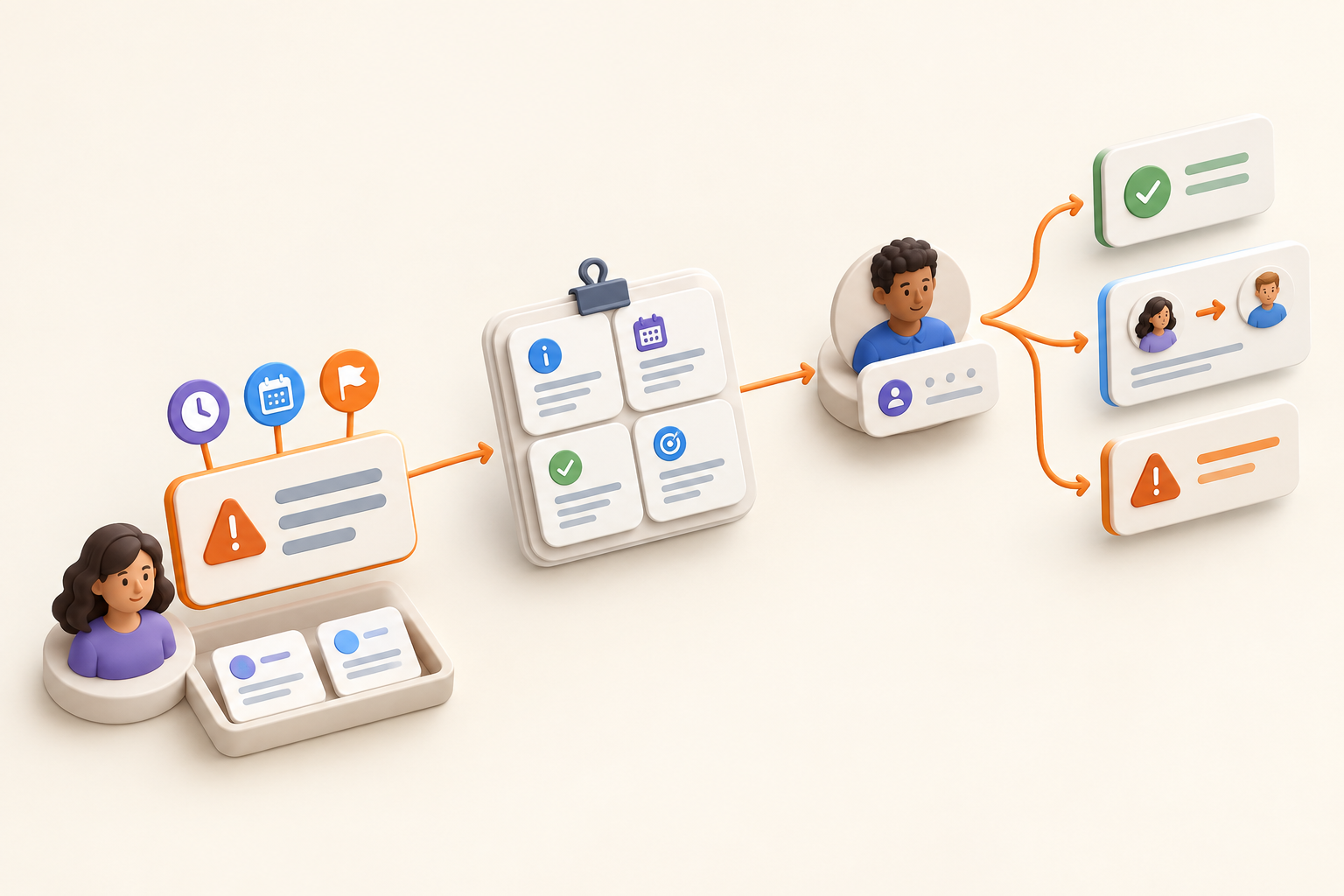
A written escalation path helps with both. It defines when work needs intervention, who can provide it, what context to send, and what that person is authorized to do. This is useful for ordinary project work such as a stalled approval, a slipping dependency, or a decision the project owner cannot make alone.
An escalation path is a written route for work that has exceeded the current owner’s authority, agreed time window, or ability to resolve it. Its purpose is to get a decision or intervention before a deadline, commitment, or risk worsens.
In incident management, Atlassian describes an escalation-path template as a policy document for handling, prioritizing, and analyzing incidents. In that context, the documentation may include escalation policies and mitigation strategies.
This article applies the policy idea to normal project and operational work. You do not need an incident-response runbook or an elaborate management hierarchy to handle these situations well.
Routine communication should stay routine. These situations usually do not need escalation:
Escalation is appropriate when the issue requires different authority, intervention outside the owner’s control, or a decision that cannot wait for the usual review cycle.
Clear ownership at intake can prevent avoidable escalations. A project overview can make the owner, important dates, and decision context visible before work starts.
“Escalate important issues promptly” sounds sensible until two people have to agree on what important and promptly mean.
Write triggers that someone can recognize without reading the room:
Name the affected date, commitment, risk window, or authority boundary. Known risks should also be tracked before escalation becomes necessary. A current risk register gives the team somewhere to record warning signs, ownership, and planned responses.
A working path tells someone when to act, where to send the issue, what information to include, what the recipient may do, and where the result will be recorded.
Tie the trigger to a specific consequence.
Vague:
Escalate critical approval delays.
Usable:
Escalate if legal approval has not arrived by Tuesday at noon, because final production must begin Wednesday to preserve the launch date.
The second version gives the owner a testable condition. Nobody has to decide whether the delay feels sufficiently critical.
A trigger can also use an authority boundary: “Escalate when resolving the request would require more spending than the project owner can approve.” Define that boundary in the policy instead of leaving the owner to guess.
Identify both sides by person or stable role:
Use the shortest route to someone who can act. As a practical starting point, a small team may need one direct escalation level and a fallback for absence or a different authority boundary. A five-level phone tree mostly ensures that five people hear about the problem before anyone resolves it.
“Tell management” is too vague. “The launch owner sends the packet to the functional lead responsible for approving customer-facing claims” can be followed during real work.
An escalation should carry enough information for a decision. Include:
Keep the packet compact. Link to detailed material instead of pasting everything into the message.
“Urgent, please review the thread” transfers the reading burden to someone else. A better request says:
Legal approval for the homepage claim is still pending. Production starts Wednesday. I recommend using the previously approved wording unless the new claim is approved by Tuesday noon. Please approve that fallback or move the launch date.
The policy should state what the recipient may do. Depending on the situation, they might:
A recipient who can only acknowledge the message adds another status stop. If the operations lead must ask the founder to approve a customer commitment, route that escalation directly to the founder or give the operations lead a defined decision boundary.
Set a response expectation that matches the risk window. There is no useful universal response time for every escalation. A choice needed before tomorrow’s production run requires a different expectation from a dependency threatening delivery next month.
Write the expectation into the path: “Respond before production begins Wednesday” or “Decide before Friday’s customer update.” Name a fallback if the primary recipient may be unavailable.
Once the decision is made, record the decision, next action, changed owner, and revised date or commitment where the project team already looks. A documented decision the team can find later is more useful than a private message that becomes a mystery by next Tuesday.
Use this as a starting point:
When [observable condition] happens, [current owner] sends [required context] to [recipient], who may [decision or action] by [timeframe]. The outcome is recorded in [project location].
This is a practical editorial recommendation, not a universal industry standard. Adjust it to the work and the authority your team has assigned.
Before adopting the path, check each blank:
When legal approval for a launch claim has not arrived by Tuesday at noon, the launch owner sends the proposed claim, prior follow-ups, affected production work, approved fallback copy, and recommendation to the legal lead. The legal lead may approve the claim, choose the fallback, or recommend moving the launch before production begins Wednesday. The launch owner records the decision on the launch page and updates the related task.
When the engineering dependency owner reports that the required integration is unlikely to be ready by the date needed for the committed release, the project owner sends the current forecast, supporting evidence, affected scope, and options to the product lead. The product lead may reduce scope, move the committed date, or assign additional support before the next customer update. The decision and revised plan are recorded with the project issue.
The trigger fires on a credible forecast, so the team does not have to wait for the date to be missed.
When a customer request requires spending or a commitment beyond the project owner’s authority and cannot wait for the next planning meeting, the project owner sends the request, business context, options, consequences, and recommendation to the functional lead. The functional lead may approve the recommendation, choose another option, decline the commitment, or assign the decision to another owner by the promised customer response time. The outcome is recorded in the project notes and linked work item.
The owner can move the decision forward without quietly making a commitment they were never authorized to make.
Start with situations that recur. You may only need paths for blocked dependencies, commitments at risk, and decisions outside the owner’s authority. Add another category when real work shows that you need one.
After a meaningful escalation, review the path briefly:
Repeated escalations of the same kind often point to an upstream issue. Ownership may be unclear, decision rights may be too narrow, or a known risk may need attention earlier. Fix that issue instead of polishing the escalation message forever.
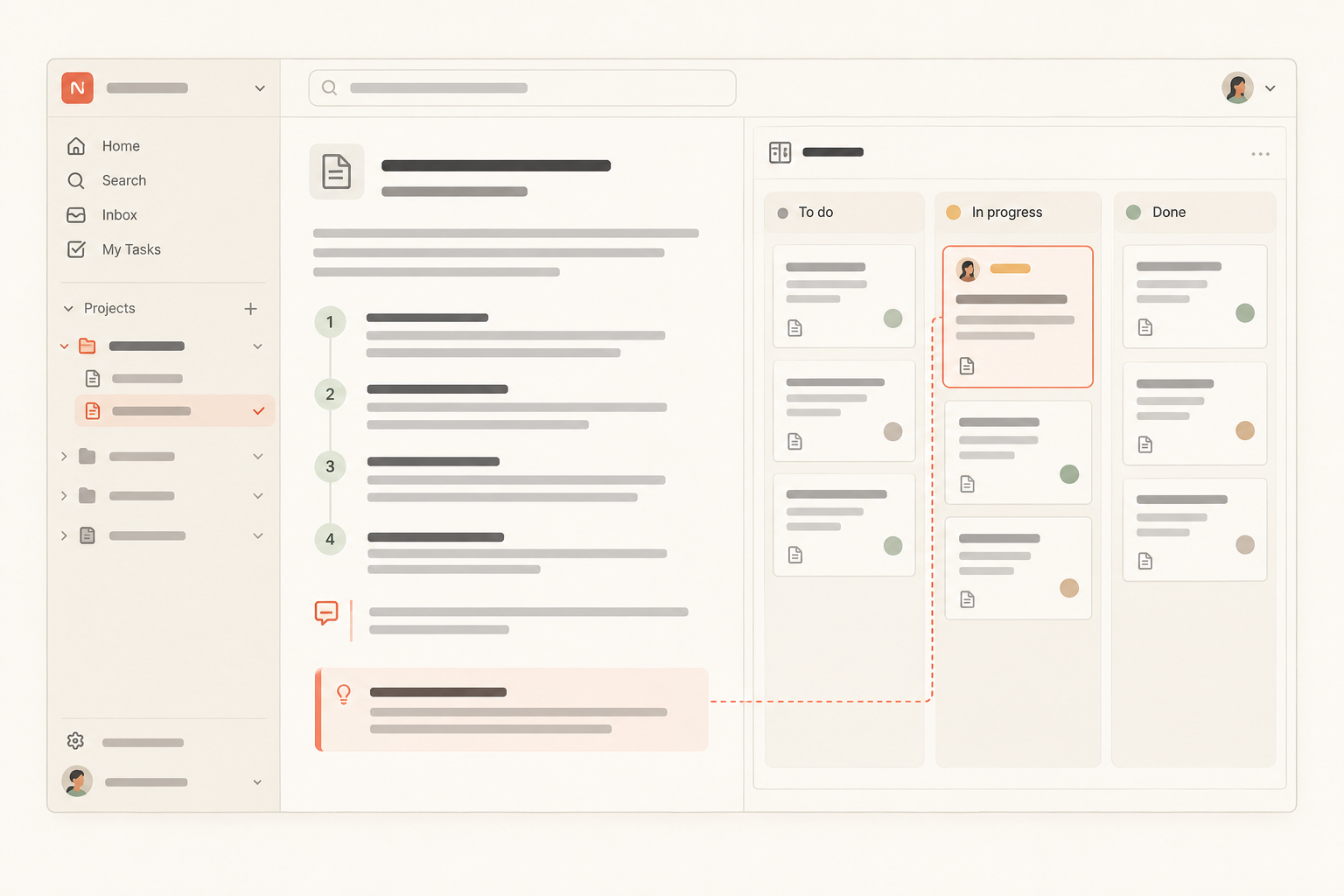
Keep the policy in shared project documentation and link it from the tasks or issues it covers. Keep live escalation context with the affected work, including the owner, current status, evidence, decision, and next action. This practice works in any shared system the team reliably uses.
If you want to organize project documentation alongside the work it describes, Notework offers one optional way to do it. A Notework workspace contains projects, and every page and collection belongs to a project. A project page can hold the written escalation policy, with nested pages, mentions, backlinks, and comments anchored to specific blocks when the wording needs discussion.
The related work can stay in a Task Tracker or Issue Tracker collection beside that page. Collections are structured sets of full entry pages with typed properties. Saved views provide different ways to see the same entries. That lets an escalated task or issue retain its ownership, status, priority, supporting details, and recorded decision while the policy remains readable documentation.
This is one way to keep docs and tasks in the same workspace. Notework is designed for small teams that want documentation and day-to-day work together with less setup and workspace maintenance than a highly configurable tool. The operating practice still matters most. No tool can rescue “tell somebody if things get bad.”
Choose one escalation your team encounters repeatedly and fill in the statement. Ask the people who will send and receive the escalation to test it.
Can the sender recognize the trigger? Can the recipient make the stated decision? Is a response expected before the consequence occurs? Does everyone know where the result will be recorded?
Use the path once, review what slowed the decision, and revise it. A short policy tested against real work will beat a comprehensive escalation matrix that nobody remembers exists.
If your team wants to keep that policy beside related tasks, issues, and project context, you can try Notework. Every new workspace starts with a 14-day free trial with Team-level access.
See also project overview.
See also organize project documentation.
See also document decisions so your team can find them later.