How to Write an Async Project Update People Will Actually Read
Updated Oct 14, 202610 min read
A short status message can still create a long thread of clarification. “Design is moving along” tells the reader almost nothing. Is the project on schedule? Is anyone waiting on a decision? Who acts next?
A readable async project update is a signpost built from a maintained project home. Update the plan, decision context, tasks, and issues first. Then publish a short recap that points people to the current detail.
That distinction matters. A message recreated from Slack and memory becomes another source of truth. A message linked to current project information helps readers understand what changed and where to look next.
An asynchronous update is communication shared without requiring everyone to be online at the same time. A written standup, weekly project check-in, or milestone update can all use this approach.
For project status, readers usually need to understand:
Brevity helps, but structure matters more. “Worked on launch copy, met with design, checked analytics” is short. It still leaves everyone guessing about the state of the launch.
Write for the person scanning the update between other work. Make requests obvious. Name owners. Link to the maintained project source instead of pasting a small novel into Slack.
Writing from memory turns the update into a reconstruction exercise. You search through messages, skim meeting notes, and try to remember whether the revised deadline was agreed or merely discussed. This is how a two-minute update acquires an archaeological phase.
Start with the place where the project context lives. A useful project home should point to the plan or brief, relevant decisions, and the tasks or issues that carry ownership. If that context is scattered, organize it before writing the recap. A project overview can help establish what belongs there.
Use this sequence:
The update should summarize current facts, not duplicate every fact. That keeps the project source useful and prevents yesterday’s message from competing with today’s task due date.
A status update also serves a different job from a meeting recap. A recap records what happened in a meeting, including decisions and assigned work. A project update summarizes the current state and directs attention toward what happens next.
When deciding where information belongs, use the project versus task distinction plainly: project context explains the work, while an owned task or issue gives someone a concrete next action.
Add the project name and reporting period at the top. If your team uses a simple status label such as “on track” or “at risk,” include it there. Then use four sections. Each section should point back to the current project source when the reader needs more detail.
Report meaningful movement: a completed milestone, a changed assumption, a newly confirmed date, or something the team learned that affects the work.
Skip the chronological diary. Readers rarely need to know that you attended two calls, reviewed four files, and sent an email. They need the result.
Instead of:
Met with legal and discussed the launch terms.
Write:
Legal approved the launch terms. The final wording is in the launch brief.
Link to the plan, brief, task, issue, or decision when the detail will matter later.
Name the specific blocker or risk, its likely effect, and who owns the next response or investigation.
The App Store screenshots are waiting on final device frames. This could move submission from Tuesday to Wednesday. Priya is checking with design by 3 p.m. Tuesday.
Ordinary unfinished work does not belong here. “Engineering is still building the feature” describes work in progress. Include it when timing, scope, quality, or another commitment may be affected.
If there are no known blockers, say “None” and move on. Do not invent suspense to make the update look substantial.
Make each request bounded enough to answer. Include the question, the minimum context or a link to it, the person expected to respond, and when the answer is needed.
“Feedback welcome” distributes responsibility so evenly that it usually disappears.
Try:
Decision needed from Elena by Thursday: Approve option B for the pricing-page headline. The copy page includes both options and the tradeoff behind each.
A deadline should reflect a real dependency. Adding “ASAP” to everything merely teaches people that “ASAP” means “whenever.”
List the next meaningful actions with owners. Include dates when timing matters.
- Mateo will publish the approved help-center updates by Thursday.
- Priya will submit the mobile release after the screenshots arrive.
- Elena will approve the pricing-page headline by Thursday.
“Continue working on launch” is a mood, not a next action. Link to the maintained task or issue when someone needs acceptance criteria, discussion, or supporting files.
Mobile launch update, week of May 12
Status: At risk due to screenshot deliveryWhat changed
- Beta testing is complete. Two launch-blocking issues were fixed and closed.
- Legal approved the revised launch terms. See the Launch brief for final wording.
- Support reviewed the release notes and requested one clarification about account recovery.
Blocked or at risk
- Final App Store screenshots are waiting on device frames. A Wednesday delivery would move submission by one day. Priya is checking with design by 3 p.m. Tuesday.
Decisions or help needed
- Elena: Approve pricing-page headline option A or B by Thursday. See Pricing copy decision for context and both versions.
Next actions
- Mateo will revise the account-recovery paragraph by Wednesday.
- Priya will submit the release after the screenshots arrive.
- Jordan will run the final launch checklist on Friday.
The example stays short because the project context lives elsewhere. The update gives readers the current state, the exception that needs attention, and the owners who act next.
Include information that changes the project’s state or requires attention:
Leave routine activity logs, stale task inventories, repeated background, and low-level details in their maintained sources. A list of every open task makes the message longer while giving readers less help deciding where to focus.
Copying all tasks into every update creates drift. Someone updates a due date in the task tracker but forgets the old date sitting in last Tuesday’s message. Now the team has two answers and a small detective story.
There is no ideal word count. Match the length to the amount of meaningful change. A steady project may need several bullets. A launch week with a new risk and two decisions may need more. If a section starts carrying extensive background or debate, link to the context or move the discussion elsewhere.
A minimum viable process is usually enough here. Keep the format repeatable, but do not create a reporting ritual that takes longer than the work it describes.
Use a cadence that matches the project rather than applying one schedule to everything.
Post at a predictable time and tell people what participation means. Some readers may only need to read. A named decision owner needs to respond. Someone assigned an action should confirm that they have seen it if your team requires acknowledgment. Your async communication norms should make those expectations explicit.
Use written updates for status-sharing, but do not treat them as a ban on meetings. Some topics need a conversation.
Switch to a live conversation when:
The update can prepare that conversation. Record the known facts, the open question, and the people required. Invite those people, resolve the issue, and put the result back into the project context afterward.
Notework is a simpler, more opinionated workspace for small teams that want documentation and day-to-day work together without designing and maintaining an elaborate workspace.
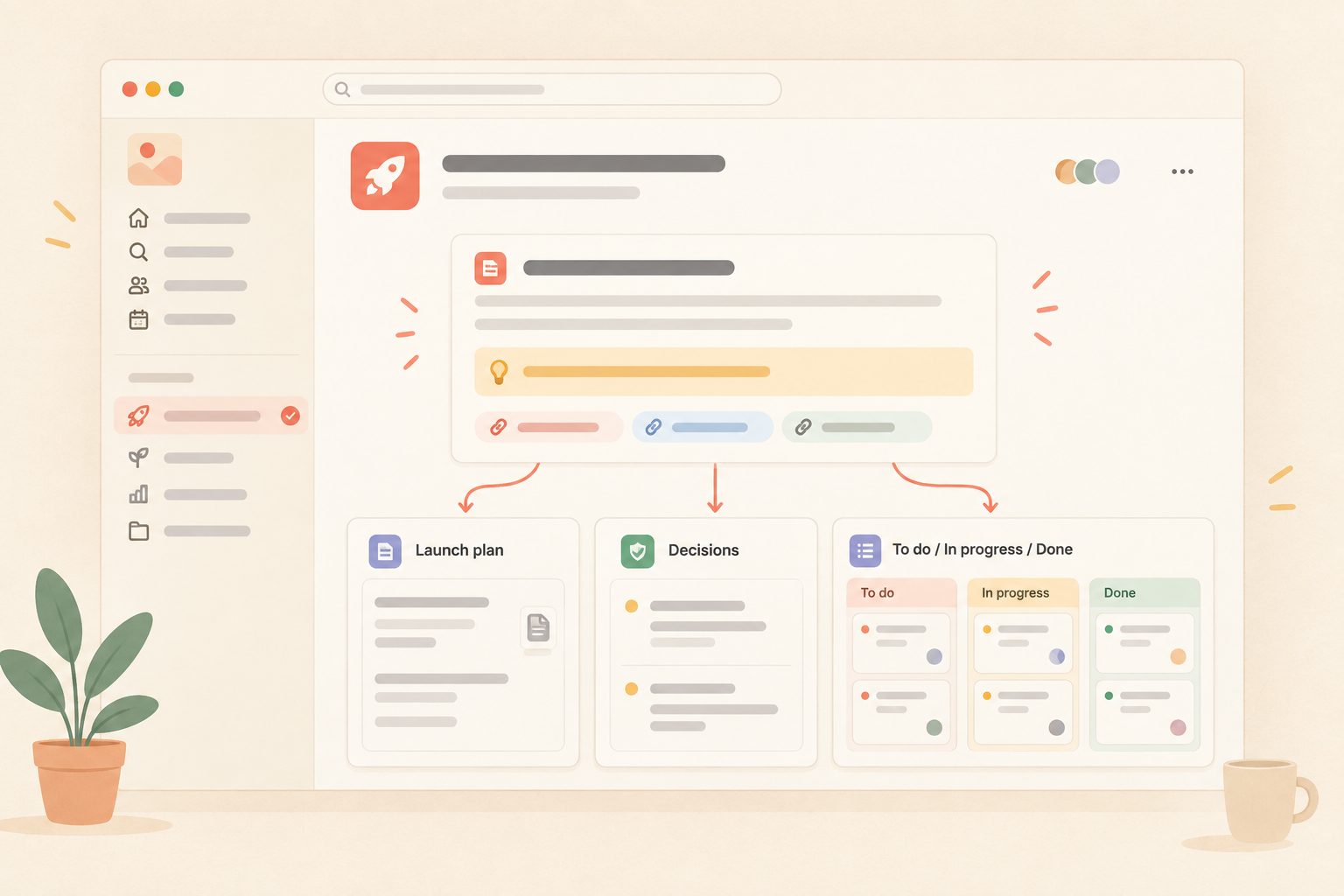
The product model fits the update workflow directly. A workspace contains projects, and every page and collection belongs to a project. Each project has a home. That gives a launch project one place to organize its plan, decisions, supporting notes, and owned work before anyone writes the status message.
Use a Notework page for the launch plan, decision record, brief, or meeting notes. Pages support nesting, mentions, backlinks, and comments anchored to specific blocks. A teammate can discuss the exact sentence or decision that needs attention instead of leaving a vague comment about “the page.”
Use a Task Tracker or Issue Tracker collection for owned work beside that context. A collection is a structured set of full entry pages with typed properties. Each task or issue opens into its own entry page for supporting detail and discussion.
Saved Table, Board, List, Calendar, Timeline, and Gallery views are different lenses on the same collection entries. They do not create separate copies of the work. Before writing an update, a project lead can review a relevant saved view, check recently completed or blocked work, and update the affected entry pages.
The maintenance sequence is therefore part of the writing method:
Notework does not need a dedicated status-update generator for this workflow. The update is useful because the project sources are current and connected to owned work.
**[Project name] update, [date or reporting period]**
**Status:** [On track / At risk / Blocked, if your team uses status labels]

**What changed**
- [Material change, completed milestone, or new fact]
- [Link to the relevant plan, brief, decision, task, or issue]

**Blocked or at risk**
- [Blocker or risk, likely effect, and owner of the response]
- None, if there are no known blockers or risks

**Decisions or help needed**
- [Person]: [Bounded question or request] by [date]. [Link to context]
- None, if no response is required

**Next actions**
- [Owner] will [specific action] by [date, when relevant]
- [Owner] will [specific action]
Use the project source to establish the facts, then make the update easy to scan. If you want a workspace organized around project homes, pages, collections, and owned work, you can .
See also meeting recap.
See also project overview.
See also project versus task.
See also async communication norms.
See also minimum viable process.