How to Audit Your Team’s Coordination Tax
Mis à jour le Nov 3, 202611 min de lecture
Your team can look extremely busy while spending much of its effort preparing to work. Someone copies the launch status into a spreadsheet. Someone else updates the task tracker. A meeting is called to work out which version is current. Then a third person asks for the brief in chat.
Each activity seems reasonable on its own. Together, they create a coordination tax: recurring work required to keep people, tools, and project information synchronized.
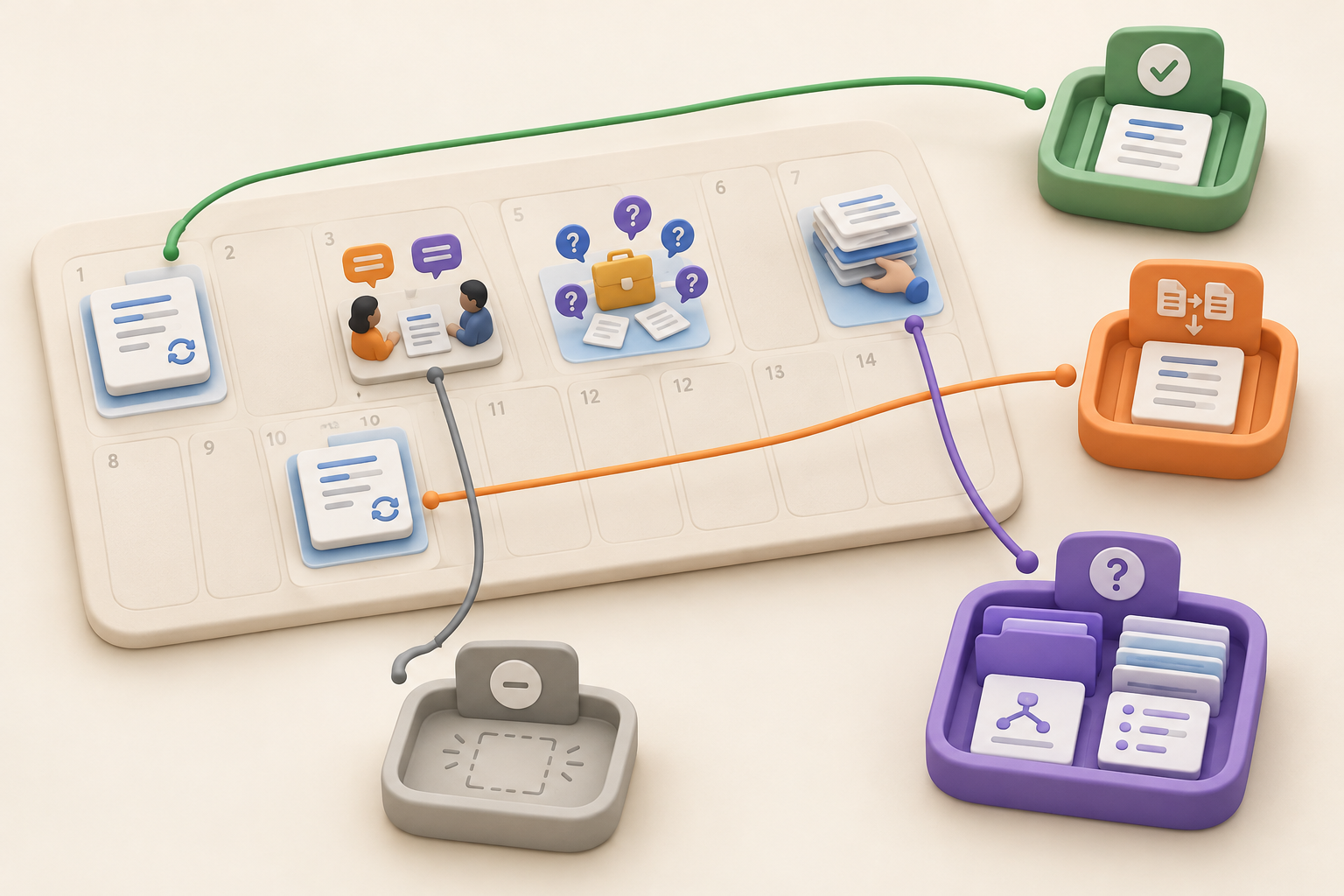
A two-week audit can make that work visible. Log where coordination happens, identify what purpose it serves, and sort each finding into one of four actions: keep, combine, remove, or clarify. The final step is structural. Give every project a clear home, then place written context and repeatable work where people can find them again.
In project-management discussions, “coordination tax” can describe overhead such as meetings, status reports, and maintaining tools. The term also appears in hybrid-work discussions, where it refers more broadly to the effort required to keep people aligned across schedules and locations.
This guide uses a narrower definition: the recurring effort required to compensate for fragmented project information, duplicate updates, conflicting sources, and unclear ownership.
Common examples include:
Some coordination is necessary. Teams need to discuss tradeoffs, resolve dependencies, review work, and make decisions together. The audit is meant to find mechanical synchronization, not eliminate human communication until everyone becomes a silent dot on an org chart.
Keep a coordination activity when it has a specific purpose. A useful meeting might decide whether to delay a launch, resolve a dependency between design and engineering, or give an owner the information needed to proceed.
Mechanical synchronization has a different shape. People gather mainly to compare sources, repeat updates already written elsewhere, or establish which version should be trusted.
Consider two launch meetings:
For every recurring coordination event, ask: What decision does this support, which dependency does it resolve, or who does it unblock?
A vague answer such as “alignment” deserves another question. Alignment around what? If the activity has no observable purpose beyond keeping several copies consistent, count it in the audit.
For two weeks, ask team members to log coordination work as it happens. Capture small events as well as scheduled meetings. A quick search for a missing decision belongs in the audit just as much as a recurring status call.
Use a shared page or collection with these fields:
| Field | What to record |
|---|---|
| Event | The meeting, update, search, or maintenance task |
| Participants | Who performed the work or had to attend |
| Frequency | One-off, recurring, or repeated informally |
| Information involved | Status, ownership, timeline, decision, brief, task, or issue |
| Systems involved | The pages, chats, trackers, spreadsheets, or specialist tools consulted |
| Time spent | A rough duration is enough |
| Purpose | The decision, dependency, or unblock supported |
| Possible remedy | What could remove or shorten the event |
Do not pause the audit to redesign the whole workflow. Record what happens under normal conditions. Otherwise, you will measure everybody’s unusually tidy audit behavior instead of the system they actually use.
Count every instance of information being copied from one place to another. Typical entries might include:
Record the audience for each copy. Two updates that look identical may serve different needs. A detailed working tracker and a short executive summary can both earn their place. If the same people read the same status in several places, you have found a good candidate to combine.
Look at what participants actually do during each recurring meeting. Flag the meeting when most of the time goes toward:
Preserve meetings that resolve genuine tradeoffs or coordinate interdependent work. Give each one a clear purpose and expected decision. A meeting recap that turns decisions into owned work can preserve the useful part without requiring another meeting to reconstruct it later.
A simple test helps: if one trusted, current project view would make the meeting unnecessary, the meeting is probably paying coordination tax.
Log questions such as:
One question may be ordinary. Repeated versions of the same question point to a structural problem. The project may lack an understandable home, the authoritative source may be unnamed, or nobody may own its upkeep.
Treat these as system signals rather than individual search failures. Telling people to “look harder” rarely creates a reliable project history.
Some coordination remains invisible because it happens alone. Before acting, a person searches chat, opens several pages, compares old notes, and asks a teammate what happened last week.
Imagine a bug entry that describes the technical problem but omits the customer impact and the decision that made it urgent. The next owner has the issue, yet still needs to reconstruct why it matters. A launch checklist separated from the approved brief creates the same problem.
Log these context-rebuilding sessions. Record which missing link, decision, or explanation would have allowed work to begin sooner. A project log that reconstructs what happened can help preserve that context for the next handoff.
At the end of the two weeks, review the log and assign one action to each finding.
| Action | Use it when | Example change |
|---|---|---|
| Keep | The activity makes a decision, resolves a dependency, or unblocks someone | Retain the launch tradeoff meeting and state the decision it must produce |
| Combine | Several updates serve the same audience or repeat the same information | Replace separate chat and spreadsheet updates with one linked status update |
| Remove | The activity changes no decision, action, or understanding | Stop maintaining a tracker field nobody uses |
| Clarify | Information must persist, but its owner or authoritative location is unclear | Name the current brief, assign an owner, and link it from the project home |
Add two more columns to your working table: proposed change and project cycle to test. “Improve communication” is difficult to test. “Stop copying issue status into meeting notes during the next release cycle” is much better.
Use the audit findings to shape the project structure. A repeated location question calls for a clear project home. Duplicate updates often point to several lists that should become views of the same collection. Context-rebuilding sessions usually mean a page, decision, or explanation needs to sit closer to the related task or issue.
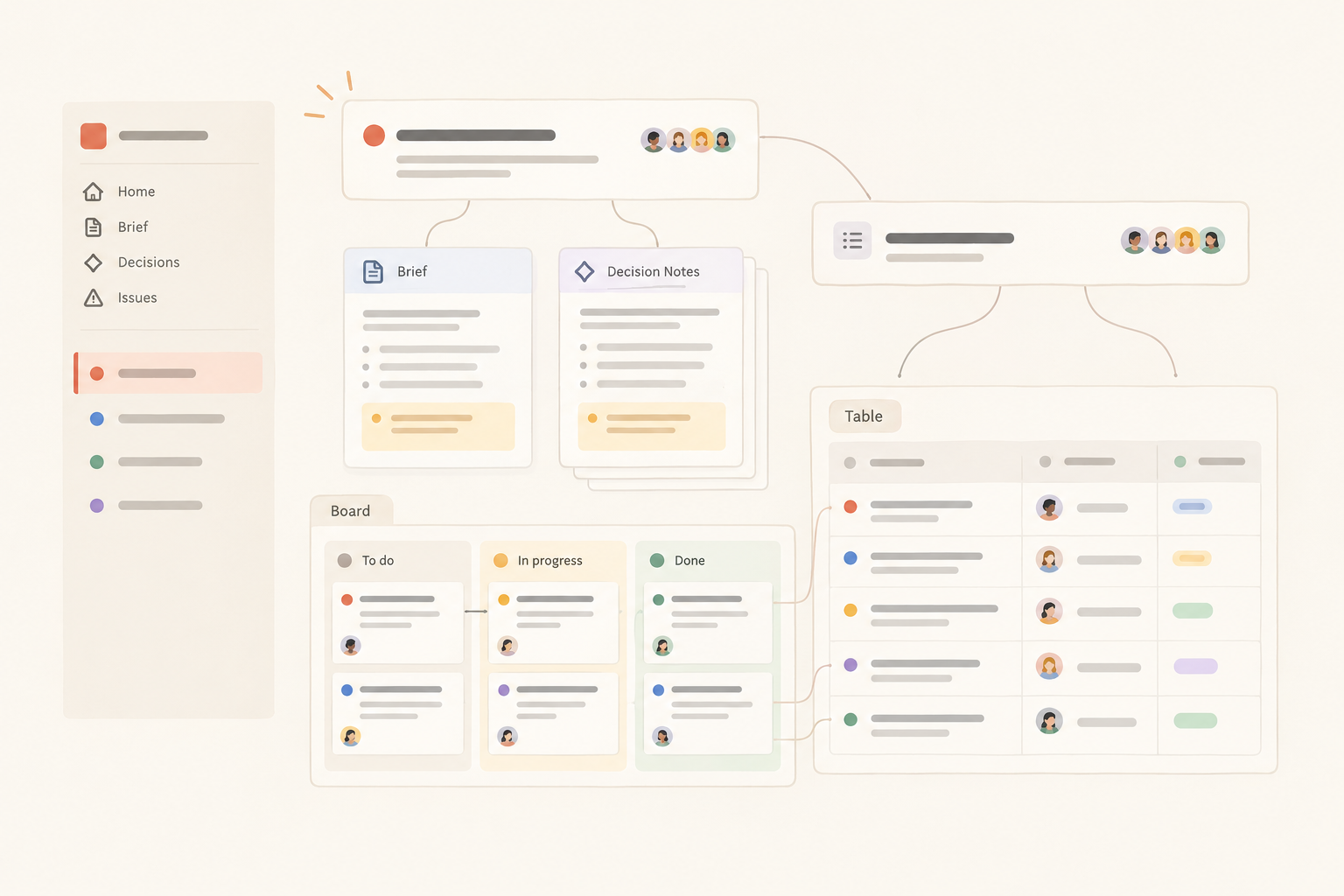
Repeated location questions usually call for an understandable project home. It should show people where to find:
The project home does not need to absorb every artifact. Code can remain in source control. Design files can stay in the design tool. Customer information can remain in the appropriate customer system. The project home should identify those authoritative sources and link to them clearly. What to include in a project overview is a useful checklist for that structure.
Calling something the source of truth does not keep it accurate. An authoritative home needs ownership and maintenance. Give the home a named owner and review it when the project changes.
The product-shaped remedy in Notework follows this same structure: Workspace → Projects → Pages and Collections. A workspace contains projects, and every page and collection belongs to a project. Each project has a home. That gives the audit a concrete place to land. “Clarify the brief” becomes a page in the relevant project. “Combine duplicate task lists” becomes one collection with views for the audiences that need them. “Keep issue context beside the work” becomes an issue entry page linked from the project’s written context.
Notework is a simpler, more opinionated alternative to Notion for small teams that want documentation and day-to-day work together without maintaining a highly configurable workspace.
Use a page for material people read and develop: briefs, plans, decision notes, meeting notes, and organized links. Use a collection when many items need the same repeatable structure. A collection contains full entry pages with typed properties, so an issue can have a status and owner while still holding investigation notes and supporting context.
This distinction maps directly to the audit. If people keep asking where a decision lives, write it on a page in the project. If they keep copying task status between lists, put the repeatable work in one collection and give different audiences saved views of it. The structure is doing useful work before anyone opens a filter menu.
Comments in Notework are anchored to specific blocks on pages and entry pages. Feedback about one passage can stay attached to that passage instead of becoming a detached chat thread called “thoughts?”
A Notework project might contain a launch brief, decision notes, and a Task Tracker collection. Another project could pair investigation notes with an Issue Tracker collection. Both presets are included, and tasks and issues remain full entry pages.
Keeping them in the same project shortens the path between an action and its explanation. A specialist issue tracker may still be the right authoritative system for some teams. In that case, the project home can link to it rather than maintaining a competing copy. The goal is a clear boundary, not a heroic attempt to force every artifact into one place.
If a team is unsure whether work belongs in a task or issue, make that decision before adding another tracker. A new list rarely fixes an unclear work type.
Notework collections support saved Table, Board, List, Calendar, Timeline, and Gallery views. These views show the same entry pages through different filters, sorts, groupings, and visible properties. A team can maintain a working board and a calendar view without creating parallel sets of work that later disagree.
Search combines exact matching with semantic retrieval and only returns content the reader can access. That helps when someone remembers the meaning of a decision but not its title.
Views and search make information easier to retrieve. They cannot decide which source is authoritative or appoint someone to maintain it. The team still has to make those calls.
Choose the highest-frequency finding from the audit. Prefer a small, reversible change: stop one copied status update, name one authoritative brief, or replace one reconciliation meeting with a current project view.
Observe the next project cycle. Did people still get the information they needed? Were decisions delayed? Did location questions decrease, or did they simply move somewhere else?
Keep the change if it works. Adjust it if useful coordination disappeared with the overhead. Then take the next item from the audit. One removed burden is a better start than a grand workspace redesign that becomes its own coordination project.
If your audit points to unclear project boundaries and too much workspace maintenance, try Notework. Every new workspace starts with a 14-day free trial with Team-level access, giving you a practical window to test the Workspace → Project → Page / Collection model against one real project.
See also what to include in a project overview.
See also async project update.
See also whether work belongs in a task or issue.