Policy vs. Process vs. Procedure: When to Combine or Separate Documents
Updated Oct 14, 202611 min read
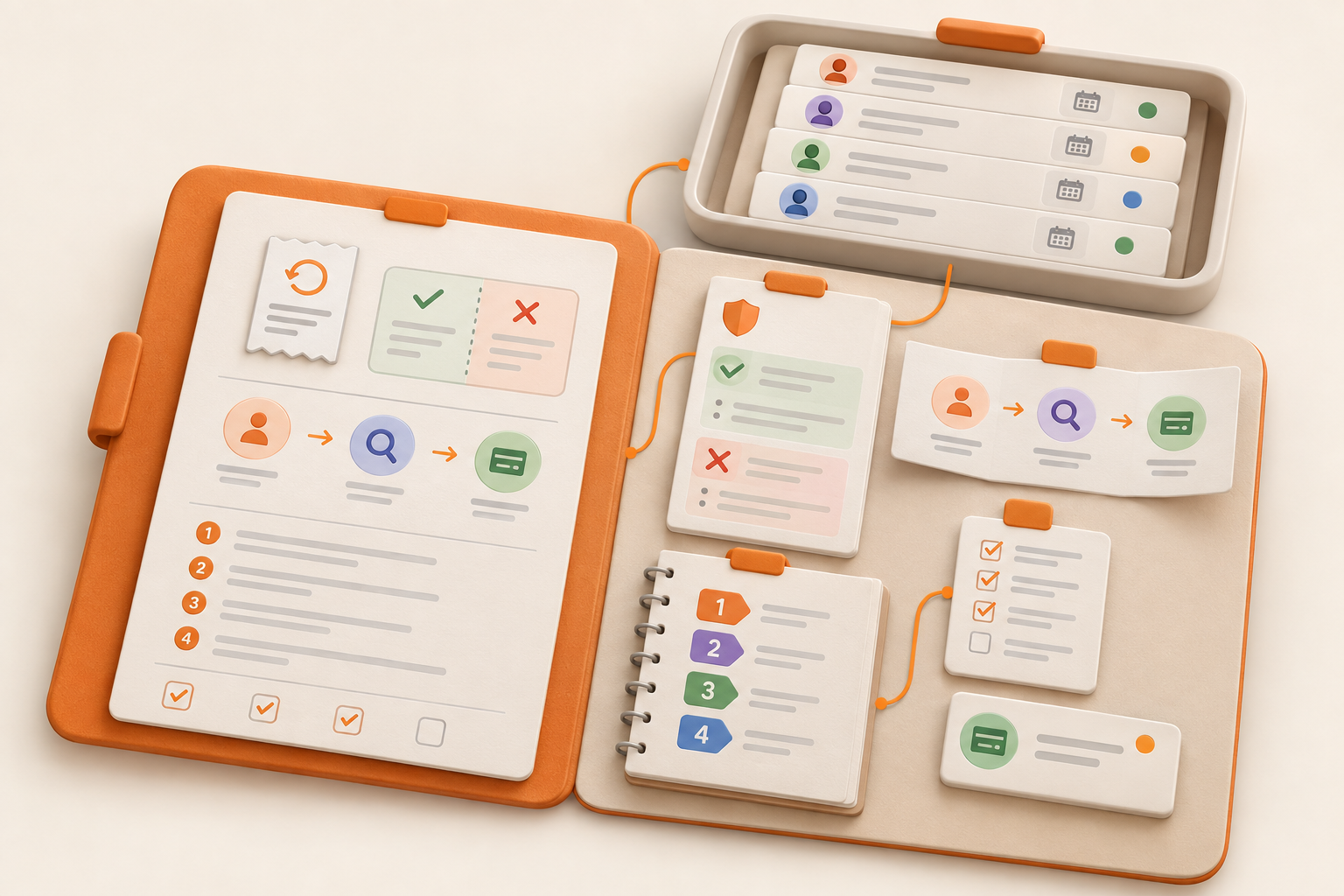
Policies, processes, and procedures may all cover the same area of work, but they answer different questions. Combining them into one enormous document leaves people scrolling past material they do not need. Splitting every idea into its own page creates the opposite problem: a tiny-document maze held together by hope and browser tabs.
Start with the reader's job. Do they need to make a decision, understand how work moves, complete a task, handle an unusual situation, or verify that work is finished? That answer tells you what kind of document to create. Then separate related material only when the split makes it easier to find, use, own, or update.
A practical distinction, reflected in plain-language guides from Oracle and ScreenSteps, looks like this:
| Document | What it does | Question it answers | Refund example |
|---|---|---|---|
| Policy | Sets a boundary, principle, or direction | What is allowed, required, or subject to approval? | Which refunds may an agent approve? |
| Process | Maps the broad flow of recurring work | How does work move from request to outcome? | What happens from a refund request through resolution? |
| Procedure | Explains how to complete a specific task or process step | What exactly should I do? | How do I issue an approved refund? |
A process often follows an intended sequence, but it can include branches, decisions, and escalations. A procedure gives someone the instructions needed to complete one task within that broader flow.
These labels are not universal. One company may call detailed instructions a procedure, while another calls the same document an SOP or work instruction. Define what the terms mean for your team before enforcing a hierarchy. Consistent local usage is more useful than winning a vocabulary debate.
A useful policy states what must be true, which limits apply, and who has authority when judgment is required. It should help someone make a consistent decision without explaining every operational step.
A hypothetical refund policy might establish:
Instructions for operating the payment system belong elsewhere. Those instructions may change more often, have a different owner, and matter only after the refund has been approved.
This article treats policies as practical internal operating documents. Legal, HR, regulatory, and compliance policies require expertise specific to the organization and jurisdiction.
A process shows the route from a trigger to an outcome. It includes the main stages, handoffs, and decision points without turning into a click-by-click manual.
A refund process might look like this:
The overview shows how work moves and where it can stall. If nobody knows who handles step four, the process has an ownership gap. If some requests need a different approval route, show that branch instead of pretending every refund follows the same path.
Keep detailed system instructions elsewhere. Someone trying to understand the flow should not have to wade through sample replies and eleven screenshots from an interface that changed last Thursday.
A procedure supports someone while they are doing the work. For “issue an approved refund,” it should cover the required inputs, ordered steps, relevant tools, common exceptions, escalation points, and completion criteria.
For example:
The procedure should also say what to do when the expected path breaks. A missing transaction, failed refund, or mismatch between the approved and available amount needs an escalation route. Background about why the company offers refunds belongs in the policy or supporting guidance, not halfway through the task instructions.
These terms help when they describe distinct jobs. They help much less when a team treats them as mandatory levels in an elaborate documentation pyramid.
One practical hierarchy places a procedure between policy and a more detailed standard operating procedure, or SOP. Waybook describes this model, though other organizations use the labels differently.
Under that model:
A small team may reasonably use “procedure” for all three. Add another label only when it helps readers understand the scope, audience, or expected detail. Taxonomy should reduce confusion. It should not become a hobby.
A playbook helps with recurring situations that require judgment. A refund playbook might cover an upset customer, a disputed purchase, or a case where the written policy does not provide an obvious answer. It can include examples, response options, and escalation guidance.
A checklist is a short verification aid used during or after the work:
A short checklist can sit inside the procedure. If its items require explanation or judgment, keep the checklist brief and link to the relevant procedure or playbook.
Separate related material when the split makes maintenance or use clearer. Good reasons include:
Keep everything on one page when the boundary, flow, and instructions are short, stable, used by the same people, and maintained by the same owner. A five-person team handling a simple monthly reimbursement may need only one clearly divided page.
A useful test is simple: will the split help someone find the right guidance or help someone maintain it? If it only adds another click, use headings on one page instead. For broader guidance on creating a home for shared operating knowledge, see how to build a broader home for policies, processes, and procedures.
Start with the reader's immediate need:
Then decide whether the material needs its own document. Consider the audience, owner, review cycle, and moment of use. If none of those differ, another page may be unnecessary. If a recurring habit is starting to produce missed handoffs or inconsistent results, minimum viable process can help you decide how much structure to add without building a bureaucracy.
A lightweight refund documentation set could contain five connected pieces:
| Material | What belongs there | What stays elsewhere |
|---|---|---|
| Refund policy | Eligibility, approval authority, limits, required escalation | Payment-system steps |
| Refund process | Request, review, decision, execution, communication, recordkeeping | Detailed instructions for each task |
| Refund procedure | Steps for issuing an approved refund | Approval rules copied from the policy |
| Sensitive-case playbook | Examples, response options, judgment, and escalation guidance | Routine execution steps |
| Completion checklist | Final verification before closing the request | Explanations and background |
The process can say, “Check the request against the refund policy,” and link to that policy. Its execution step can link to “Issue an approved refund.” The procedure can link back to the policy when someone needs to verify an exception.
Each instruction then has one authoritative home. If an approval boundary changes, update the policy instead of hunting through five documents for copied versions of the same rule.
Assign an owner when a document affects recurring work, coordinates several people, or needs updating when a tool or responsibility changes. Ownership means knowing who decides whether the document is still accurate. It does not mean that person must personally rewrite every sentence forever.
Add a review date when stale material could mislead someone or cause operational trouble. Useful signals include changing tools, shifting approval authority, repeated exceptions, or instructions that depend on an external system. A ceremonial annual review date that nobody follows is decorative metadata.
How to manage team documentation without reviewing every page covers the maintenance problem that appears once a team has more than a handful of documents.
More structure becomes useful when you have many related documents and start seeing problems such as:
At that point, another giant documentation page rarely helps.
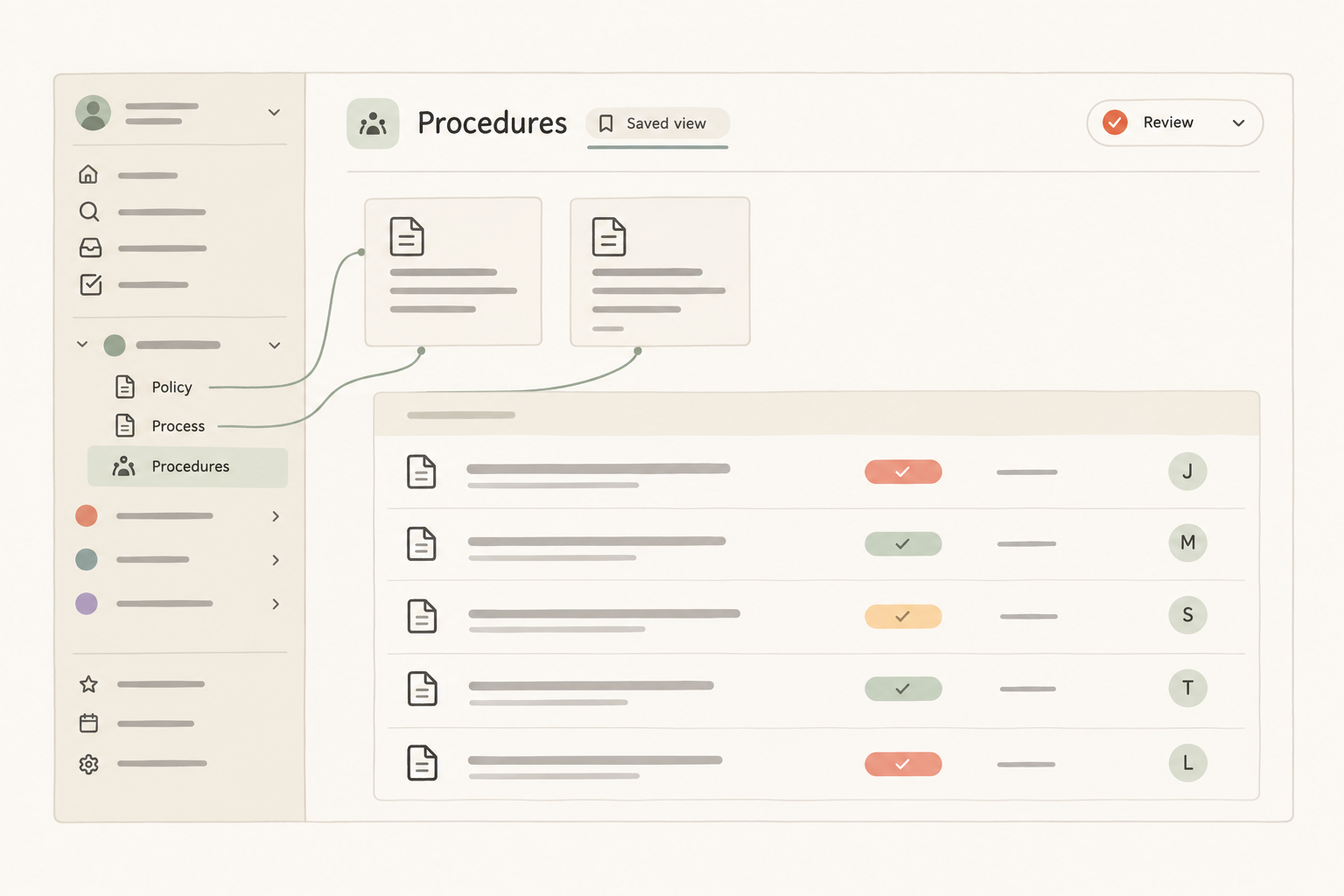
The document classification and the storage decision are related, but they are not the same decision. A policy may be a page because people need to read and discuss it. A procedure may also be a page when there are only a few procedures. A collection becomes useful when many operational entries need the same properties and views.
In Notework, the model is Workspace → Project → Pages and Collections. All pages and collections belong to a project. Use a page to write or organize guidance. Use a collection when you have a repeatable structure made of entry pages.
That maps neatly to the refund example:
A procedure collection could use typed properties such as owner, status, category, and review date. A Table view might show ownership, while another saved view filters to procedures awaiting review. These are different views of the same entry pages, not separate copies of the work.
For three stable procedures, that setup would be excessive. For dozens of procedures shared across projects, it can make ownership and review work easier to see. The point is to let the repeated structure earn its keep.
Notework also includes Task Tracker and Issue Tracker collection presets. A task to update an outdated procedure, or an issue about a broken refund step, can sit beside the pages that provide its context. The presets track actionable work. They do not replace the policy or procedure.
For help connecting project guidance without scattering it across unrelated pages, see how to organize project documentation.
Place links where someone makes a decision or performs a task. A process step that says “Confirm eligibility” should link directly to the governing policy. The execution step should link to the relevant procedure.
Avoid copying full rules or instructions into every related document. A short summary can help with orientation, but name the authoritative source and link to it. In Notework, pages support nesting, mentions, backlinks, and comments anchored to specific blocks. That gives teams places to organize related guidance, see where pages are referenced, and discuss the wording under review.
The result is a structure that follows the work rather than the vocabulary. Use a policy for the boundary, a process for the route, a procedure for the task, a playbook for judgment, and a checklist for verification. Keep them together when that is clearer. Separate them when different people, owners, or change cycles need different things. Then choose a page or a structured collection based on whether the material is guidance or repeated operational work.