How to Build a Workback Plan Without Creating a Second Project Tracker
Updated Oct 14, 202612 min read
A workback plan often begins as a tidy timeline and ends as two disagreeing trackers. Stakeholders review one schedule. Contributors update another. Soon, launch approval is Tuesday in one place, Thursday in another, and someone is reconciling dates instead of moving the project forward.
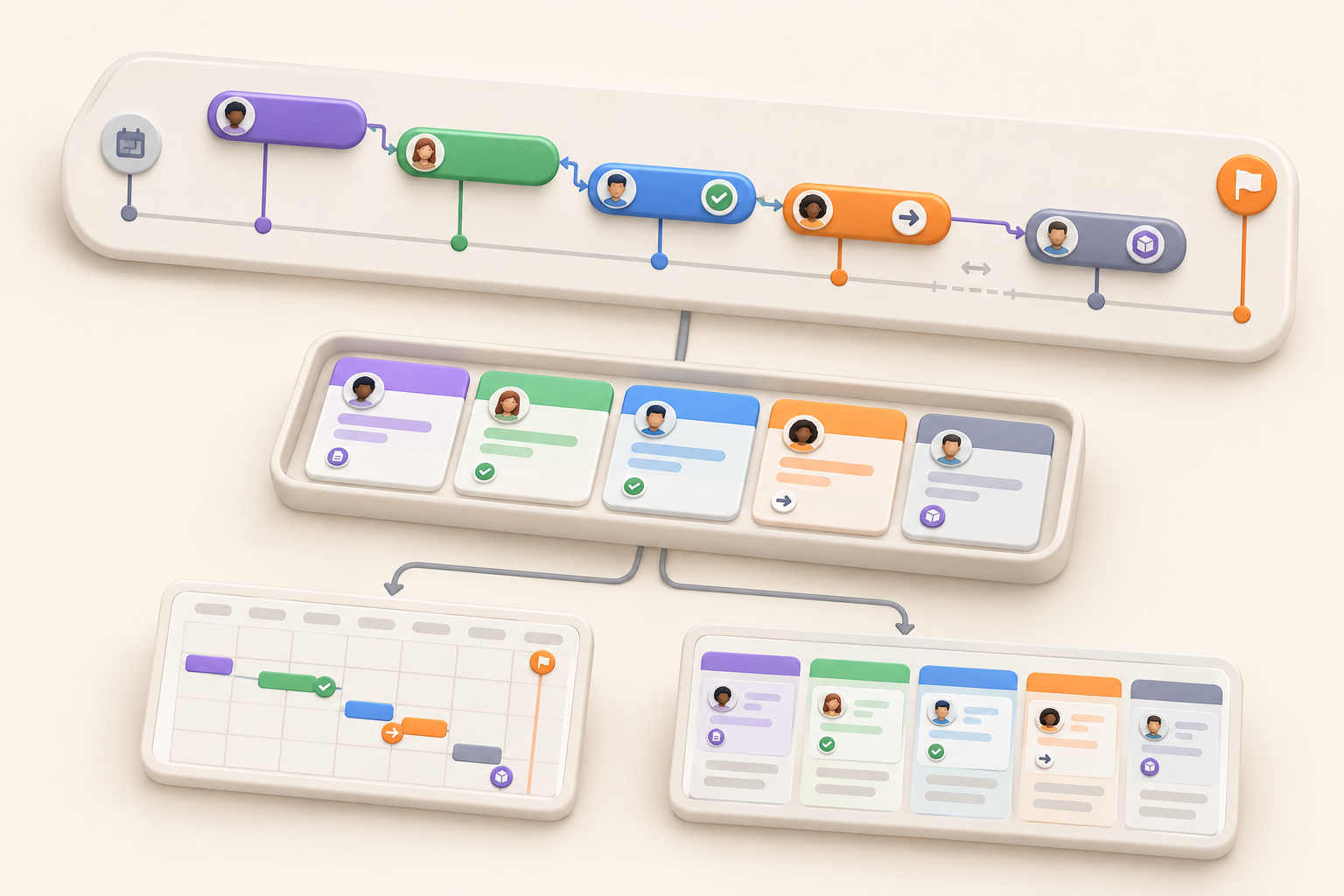
The fix is both a planning method and a system design choice: build backward from the fixed deadline, keep schedule-driving work in one collection, and show that same work through the views each audience needs. In Notework, that means a project with supporting pages, one Task Tracker collection, and saved Table, Timeline, Board, or Calendar views of the same entry pages.
The planning method works in other tools too. The important part is avoiding a presentation schedule that drifts away from the work people actually update.
A workback plan, also called a workback schedule, organizes tasks and milestones backward from a fixed deadline. You begin with the delivery date, establish the sequence and duration of the work before it, and continue backward until the necessary start date appears.
This approach suits work where the final date is fixed or materially constrained:
It is less useful for exploratory projects with uncertain scope and no meaningful definition of done. A detailed backward schedule can give guesses an undeserved air of authority when the team is still discovering what it should build.
Record the fixed date and the result attached to it. “Launch on October 22” is incomplete. Does launch mean the page is published, customers have been notified, paid campaigns are running, or all three?
Write a concrete completion statement:
By October 22, the campaign landing page is public, approved ads are active, and the customer email has been sent.
That sentence determines which deliverables belong in the schedule. It also prevents a launch-day discussion in which everyone discovers they were using a different definition of “ready.”
Be honest about whether the date is truly fixed. A contractual deadline and an internal planning target deserve different treatment. If your team labels every date urgent, clarify the difference between a milestone, deadline, and target date before building the plan.
Create the project context before calculating dates. A brief, decision page, or project overview should state the outcome, deadline, scope, and assumptions. The schedule should point back to that context rather than trying to carry every detail in a status column.
Begin with the outputs and gates required for completion. For a campaign, these might include an approved brief, final copy, finished creative, a tested landing page, launch approval, and publication.
Keep these concepts distinct:
Start with deliverables and milestones. Add task-level detail where someone needs a clear next action or where the task affects another date. This is a good place for a minimum viable process: include what controls the schedule and leave out the administrative confetti.
You probably do not need “open design file” in the master schedule. You do need “deliver final creative to paid media,” because another person cannot proceed until it happens. A workback plan should reveal the route to delivery, not document every mouse click along the way.
In Notework, these schedule items can live together as entry pages in one collection. That matters later, when the same work needs a planning table, a contributor board, and a stakeholder calendar.
Place the final deliverable at the end, then ask what must be complete immediately before it. Continue one step at a time:
Pay closest attention to work that controls later work. A copy delay matters when design cannot finish without approved copy. It matters less when design can proceed with agreed placeholders.
For projects with tangled relationships between work items, use a separate method to map project dependencies. The workback plan only needs enough dependency information to explain the sequence and expose schedule risk.
Reviews and handoffs consume time even though nobody describes them as production. Legal review, client approval, vendor lead times, event logistics, and transfers between teams belong in the schedule when they affect earlier dates.
“Final creative due October 16” is not credible if the plan quietly assumes same-day legal review, stakeholder approval, export, and delivery to a vendor.
Represent important approvals as work with an owner and date. If a client has two business days to review a draft, include those days. If a printer requires final files by a particular date, record that constraint rather than hoping everyone remembers it.
A meeting decision should also return to the work. Turn decisions into owned work so an approval, follow-up, or changed date has a visible owner.
Buffer should correspond to an actual risk. An unfamiliar approval process, external vendor, or technically uncertain task may justify extra time. Routine work with stable inputs may not.
Name the reason so the buffer survives later schedule compression. “Two days for client revision risk” invites a useful decision. “Two spare days” looks disposable when the deadline gets uncomfortable.
There is no universal buffer that makes a plan safe. A made-up date does not become credible because it appears in a timeline.
Every meaningful deliverable or executable task needs one accountable person, a date, and a current status. “Marketing” is a department, not an owner. Pick the person responsible for getting the item across the line, even when several people contribute.
A useful work item usually includes:
Keep the schedule scannable. Detailed review notes, decisions, and updates can live inside the work item or in linked supporting material. Nobody should have to squeeze an entire creative brief into a status column.
This is where the one-collection model earns its place. The collection holds the fields needed to plan and filter the work. Each entry page can hold the context that explains what needs to happen. A stakeholder does not need a second tracker to get a simpler view.
Compare the calculated start date with today, available capacity, and any missing inputs. Working backward sometimes produces the awkward but valuable conclusion that the project needed to start last Tuesday.
Do not solve that by quietly shortening every estimate. Choose an explicit tradeoff:
Backward planning exposes assumptions. It cannot repair undefined scope or make unavailable people available. Discuss the gap before sharing the schedule as a commitment.
Suppose a campaign must launch on October 22. These dates are illustrative, not recommended lead times.
| Item | Type | Owner | Due | Duration | Predecessor or constraint | Status | Supporting context |
|---|---|---|---|---|---|---|---|
| Required inputs confirmed | Deliverable | Priya | Oct 2 | 1 day | Product details available | Done | Campaign brief |
| Campaign kickoff | Milestone | Mateo | Oct 5 | 1 day | Inputs confirmed | Done | Brief and channel plan |
| First copy draft | Deliverable | Lena | Oct 8 | 3 days | Kickoff complete | In progress | Copy requirements |
| Copy review and approval | Approval | Priya | Oct 12 | 2 days | First draft complete | Not started | Review notes |
| Final asset production | Deliverable | Mateo | Oct 16 | 4 days | Copy approved | Not started | Creative brief |
| Landing page and campaign QA | Task | Noor | Oct 19 | 2 days | Final assets available | Not started | QA notes |
| Final launch approval | Milestone | Priya | Oct 20 | 1 day | QA complete | Not started | Launch decision |
| Launch contingency window | Buffer | Priya | Oct 21 | 1 day | Final approval complete | Not started | Scheduling and configuration risk |
| Campaign launch | Deliverable | Noor | Oct 22 | 1 day | Contingency window complete | Not started | Launch checklist |
The buffer now has a clear place in the sequence. If copy approval slips to October 14, the owner can review asset production, QA, final approval, and the contingency window instead of changing one date and leaving the rest of the schedule untouched.
The schedule is not the launch review. Before publication, run a focused launch readiness review against the work and risks that remain.
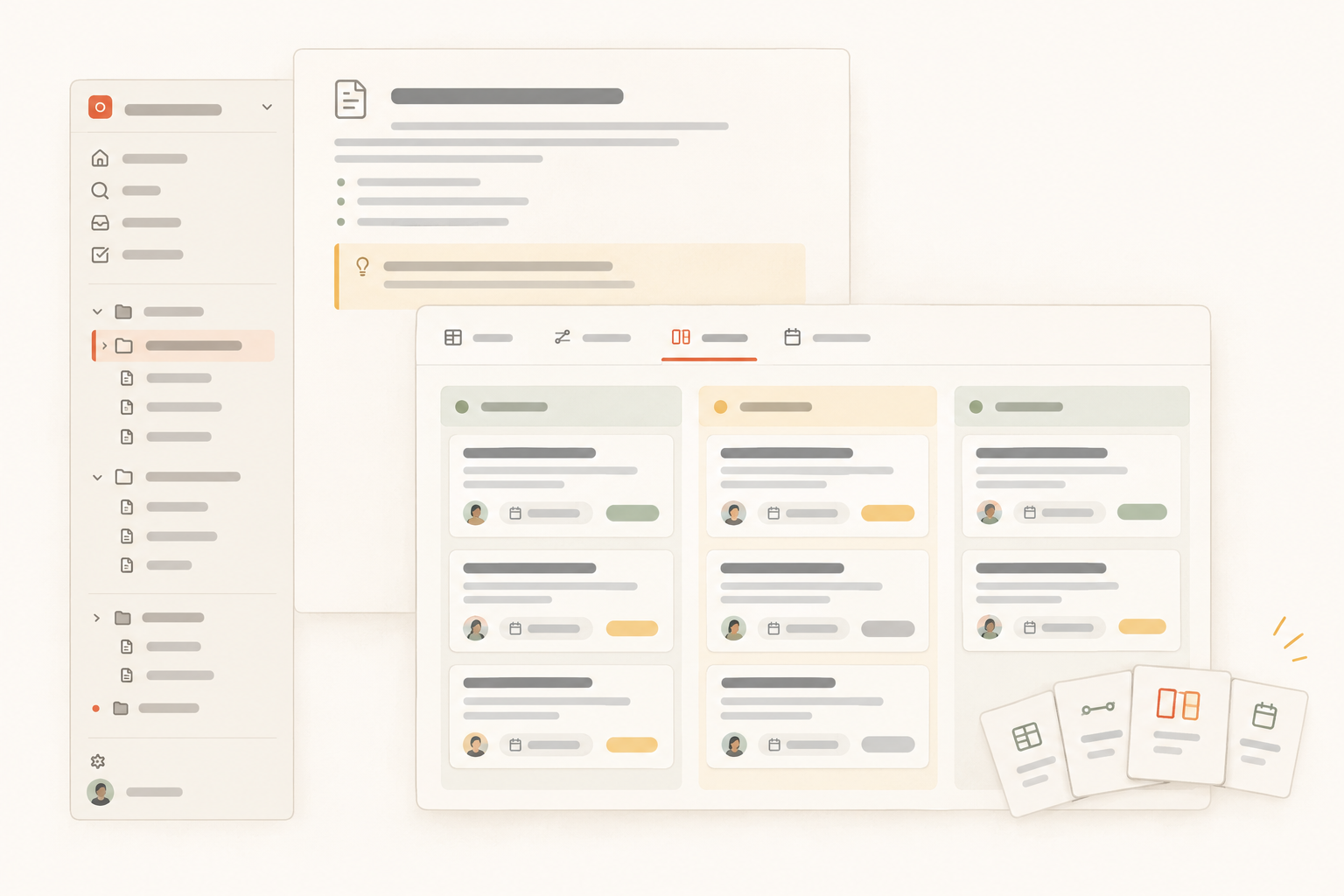
The project owner needs sequencing and constraints. Contributors need a short list of work they can update. Stakeholders usually want milestones, dates, owners, and risks.
Those needs call for different views of the same entry pages, not separate trackers. In Notework, a collection can be the maintained source of schedule items while saved views present the work differently. A change to an owner, status, or date remains attached to the same entry page everywhere.
A timeline makes overlapping work, crowded periods, and suspicious gaps easier to inspect. It helps the project owner see whether reviews and production windows fit before launch.
The visual does not replace explicit predecessor information. When a predecessor slips, the team still needs to review affected downstream dates manually.
Use a table when building or auditing the plan. Show dates, owners, statuses, durations, constraints, categories, and links to supporting context. Sort by date or group by workstream as needed.
A board grouped by status gives contributors a practical execution view: not started, in progress, blocked, in review, and done. Because the board uses the same entry pages, status updates remain visible in the planning and stakeholder views.
A calendar is useful for approvals, publication dates, events, and handoffs tied to particular days. Moving an approval changes the same item shown elsewhere instead of requiring someone to repair a presentation calendar too.
This is the central operating rule: change the work item, then let the view change with it.
Notework gives this workflow a clear home. A workspace contains projects, and every page and collection belongs to a project. Create a project for the initiative so its schedule stays beside the material that explains it.
Use pages for the campaign brief, decisions, plans, meeting notes, and supporting documentation. Pages support nesting, mentions, backlinks, and comments anchored to specific blocks, so feedback can stay attached to the relevant part of a brief.
Use the Task Tracker collection preset for actionable work. A collection is a structured set of full entry pages with typed properties. For a workback plan, useful properties include Person for the owner, Date for timing, Status for progress, and Select for categories such as deliverable, approval, milestone, or buffer.
Each entry page can hold its context, decisions, notes, and updates. The collection stays compact enough to scan while the entry pages carry the detail needed to complete the work.
Save the views that match the way the team works:
Notework collections also support List and Gallery views. Views can save filters, sorts, grouping, and visible properties. They remain lenses on the same entry pages rather than separate datasets. A stakeholder view might hide routine production tasks while the contributor board shows them. Both use the same dates, owners, and statuses.
The team still needs to review dependencies and update downstream dates when plans change. This setup keeps those decisions and the work they affect together. It does not replace planning judgment with automatic scheduling.
Every new Notework workspace starts with a 14-day free trial with Team-level access. If the trial ends without a paid subscription, the workspace becomes read-only while viewing and export remain available.
Watch for these while building and maintaining the schedule:
A workback plan stays useful when it remains attached to the work people actually update. Once it becomes a ceremonial timeline copied for status meetings, its dates begin aging like milk.
See also project overview.
See also turn decisions into owned work.
See also organize project documentation.
See also minimum viable process.